

BBM — QA Pack #1: Checkout + Orders + Stock
Test Cases + Execution Log (LocalStorage Verification)
Index — Test Case Summary
Click to view summary table
Legend: P1 = core checkout/order integrity, P2 = secondary risk / cross-tab / admin interaction, P0 = suite blocker
Key Findings
- TC-11 (FAIL): Checkout user-input fields do not persist across refresh or navigation.
Impact: Re-entry required after refresh/navigation; increased friction during checkout.
Suspected cause: Checkout fields maintained in UI state only (no localStorage backing such as a draft object).
- TC-15 (FAIL): User profile order total appears to add shipping twice (+$8) while checkout + admin totals align with expected calculation.
Impact: Incorrect order total displayed to customers in the profile order summary.
Suspected cause: Duplicate shipping application in user profile total calculation.
0) Evidence Conventions
- UI evidence (screen recording):
TC-XX-UI.mp4 - localStorage evidence (screenshots):
TC-XX-Q#.png - Optional before/after suffixes:
TC-XX-Q4-before.png,TC-XX-Q4-after.png
1) Tools
Inspection path: Chrome DevTools → Application → Local Storage → <APP_ORIGIN>
Query pack keys / derived views
- Q1
localStorage.cartItems - Q2
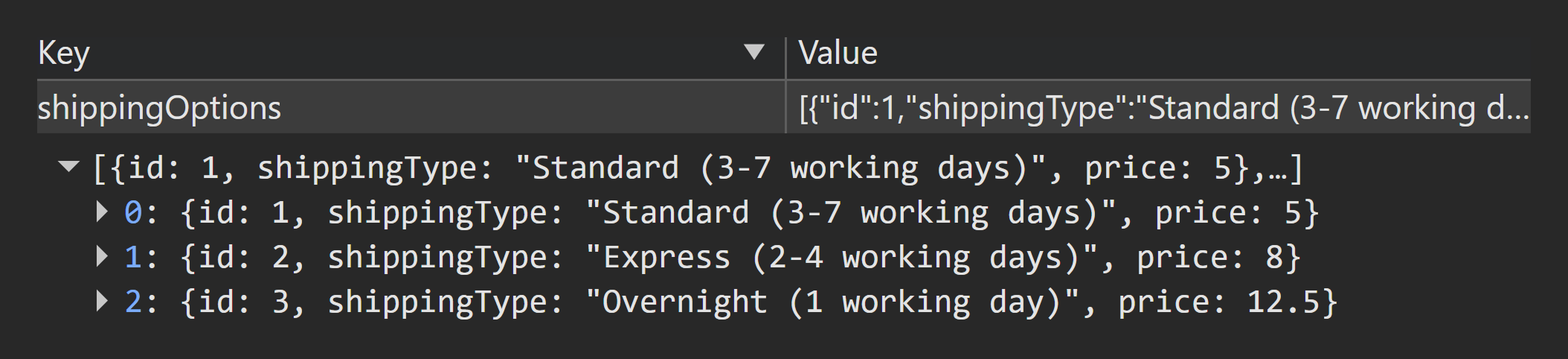
localStorage.shippingOptions - Q3 User details for
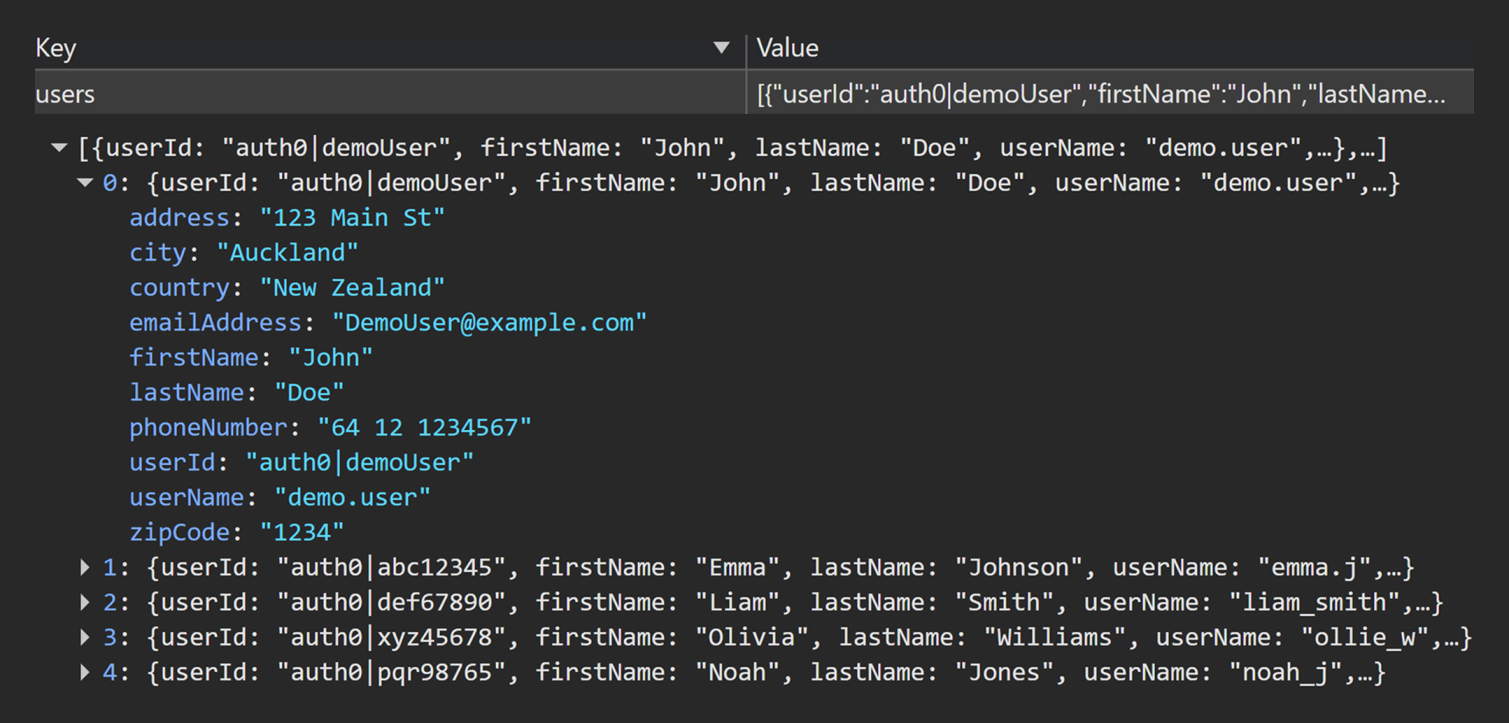
auth0|demoUser(fromlocalStorage.users) - Q4
localStorage.orders - Q5 Orders for
auth0|demoUser(derived from Q4) - Q6
localStorage.products
2) Baseline Setup (Reset Before Each TC Unless Stated)
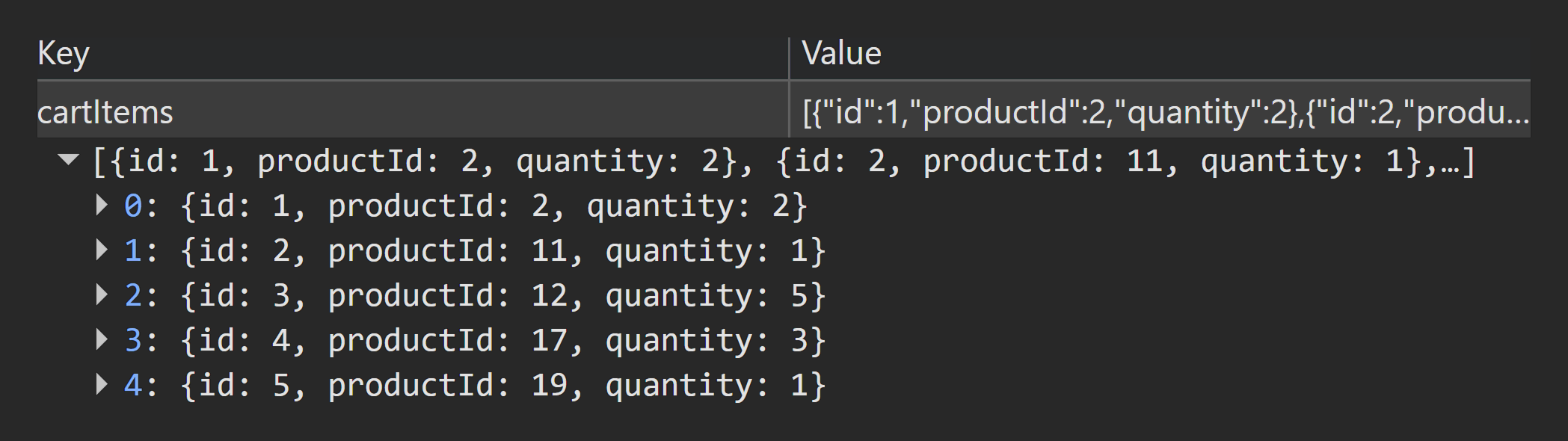
2.1 Baseline Cart (Q1 reference)
UI-readable baseline (for repeatable setup):
Note: In localStorage, cartItems contains only { id, productId, quantity }. Product names/prices are read from Q6 (localStorage.products) for calculation and readability.
2.2 Baseline User (Q3 reference)
User is a fixed demo identity (unchangeable by design): auth0|demoUser
firstName: John
lastName: Doe
userId: auth0|demoUser
userName: demo.user
address: 123 Main St
city: Auckland
country: New Zealand
emailAddress: DemoUser@example.com
phoneNumber: 64 12 1234567
zipCode: 1234
Data handling note: Demo values are fabricated test data stored in localStorage for local sessions. The auth0 prefix is a format simulation only.
2.3 Baseline Shipping (UI-only)
Baseline observed shipping selection: shippingId = 2 (Express, $8).
Shipping selection is UI-only state; persistence is not expected across refresh/navigation unless explicitly implemented.
2.4 Baseline Reset Procedure
- Clear storage: Chrome DevTools → Application → Local Storage →
<APP_ORIGIN>→ right-click origin → Clear - Recreate baseline cart via UI until Q1 matches the baseline (productId + quantity).
- For tests that require “no prior orders”, confirm Q5 (derived from Q4) contains no orders for auth0|demoUser.
Suite control: If baseline does not match expected state during pre-check, mark the test as BLOCKED until baseline is corrected.
3) Test Cases
TC-00 — LocalStorage Key + JSON Shape Check (Setup Verification)
Priority: P0
Purpose: Confirm required localStorage keys exist, JSON is valid, and stored shapes match the Query Pack so the suite starts from a trustworthy baseline.
localStorage pre-check
- Q1 Cart Items Snapshot (
localStorage.cartItems) - Q2 Shipping Options Catalogue (
localStorage.shippingOptions) - Q3 User details for "
auth0|demoUser" (localStorage.users) - Q4 Orders List Snapshot (
localStorage.orders) - Q6 Products Catalogue Snapshot (
localStorage.products)
Steps
- Confirm each key exists and contains valid JSON.
- Confirm shapes match the Query Pack definitions.
- If any key is missing/corrupt, stop execution and log as a P0 blocker.
Expected
- No corrupted JSON
- Arrays present where expected
- No obvious schema anomalies (e.g. orders not an array; products missing stock)
Result
PASS
Evidence (localStorage)
TC-00-Q1.pngTC-00-Q2.pngTC-00-Q3.pngTC-00-Q4.pngTC-00-Q6.png

TC-00-Q1.png
TC-00-Q2.png
TC-00-Q3.png
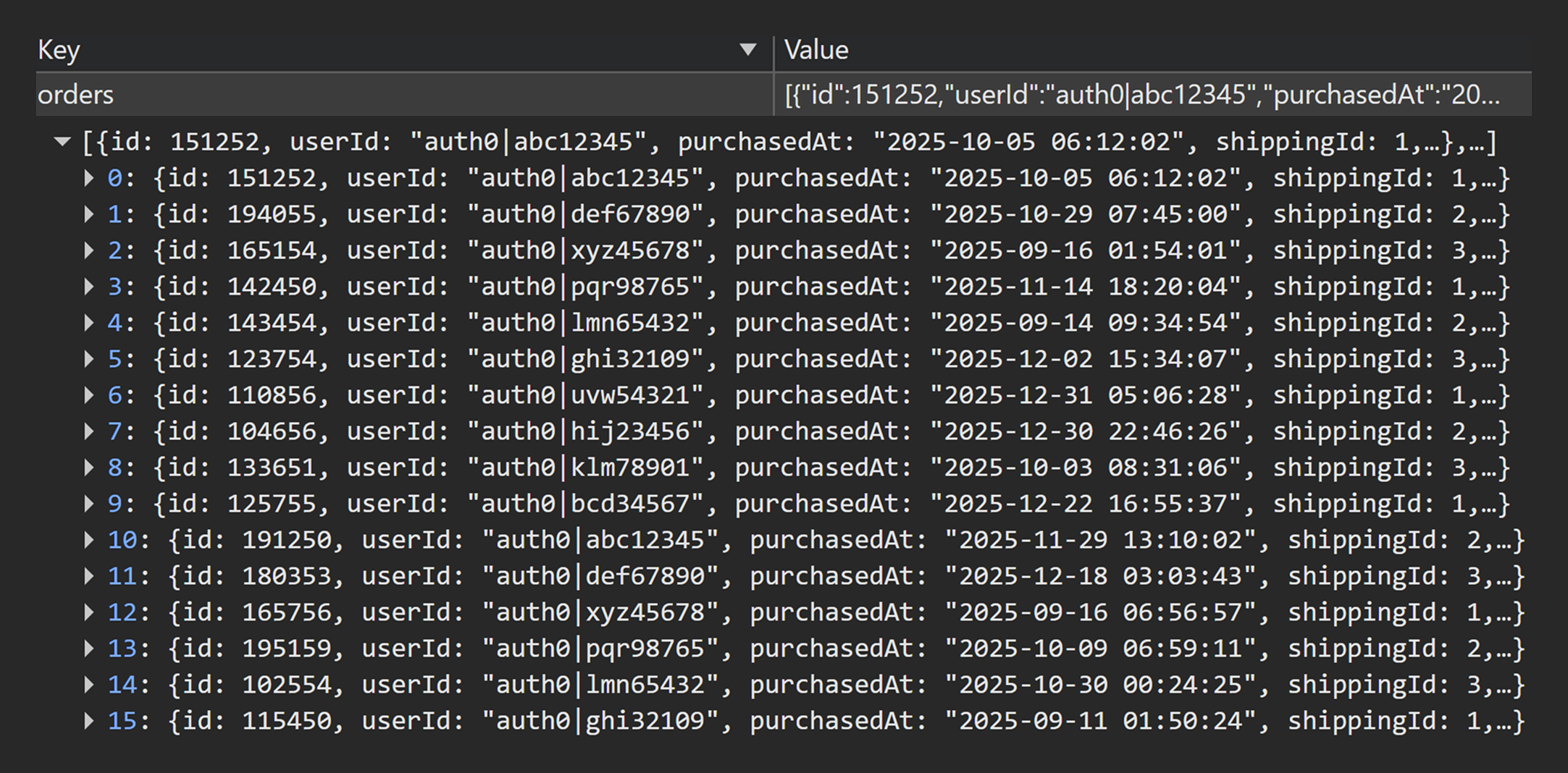
TC-00-Q4.png
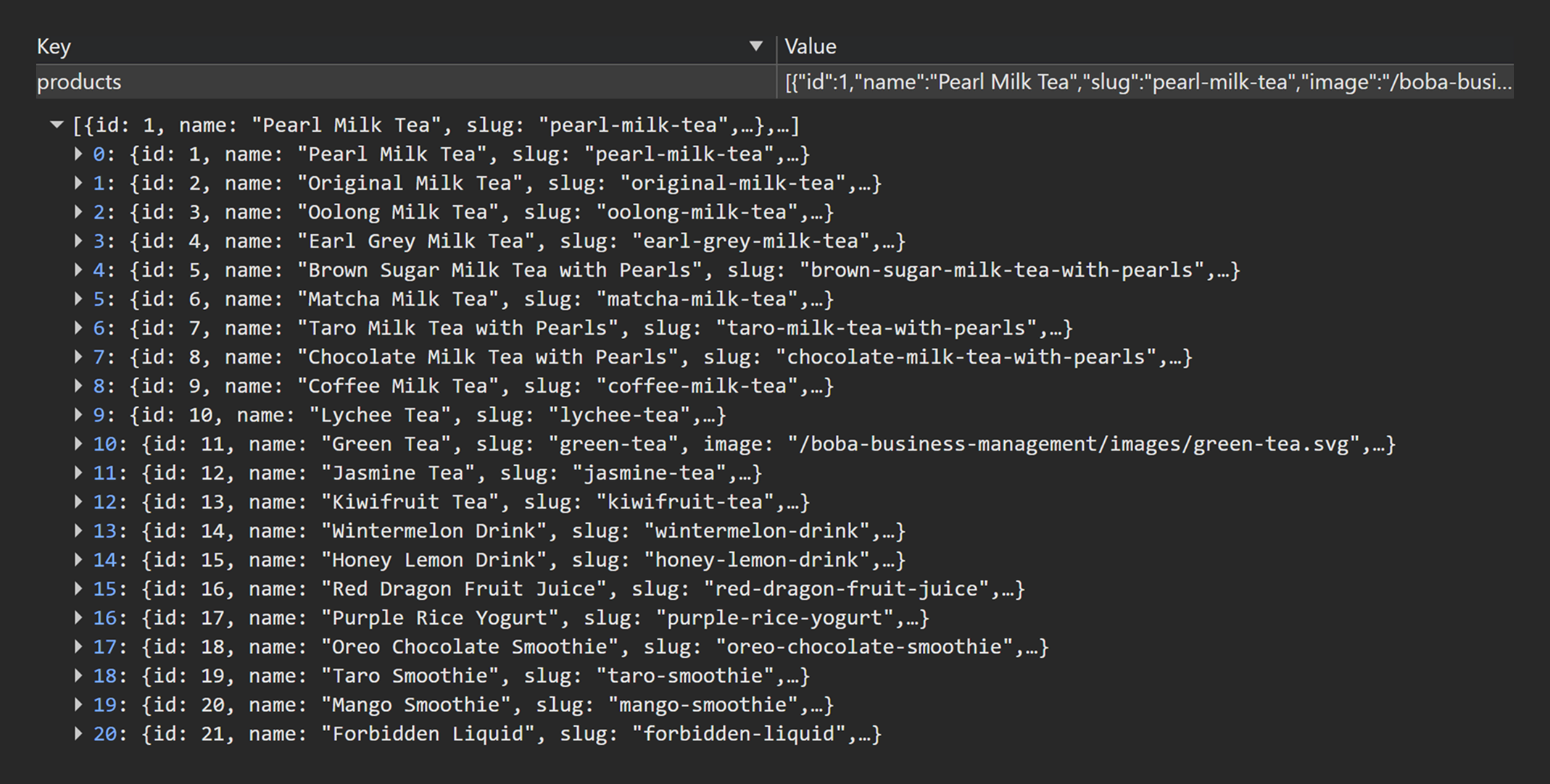
TC-00-Q6.png
TC-01 — Checkout loads when cart has items
Priority: P1
Purpose: Prove checkout is accessible when the cart is non-empty and the checkout order summary reflects the cartItems source of truth.
localStorage pre-check
- Q1 Cart Items Snapshot shows baseline cart (non-empty) from
localStorage.cartItems
Steps
- Navigate to
/checkout
localStorage post-check
- Q1 Cart Items Snapshot unchanged (pre-check baseline still present in
localStorage.cartItems)
Expected
- Checkout page loads
- Order summary matches Q1 Cart Items Snapshot (same
productIdset + quantities)
Result
PASS
Evidence
- UI video :
TC-01-UI.mp4
localStorage
TC-01-Q1-before.pngTC-01-Q1-after.png
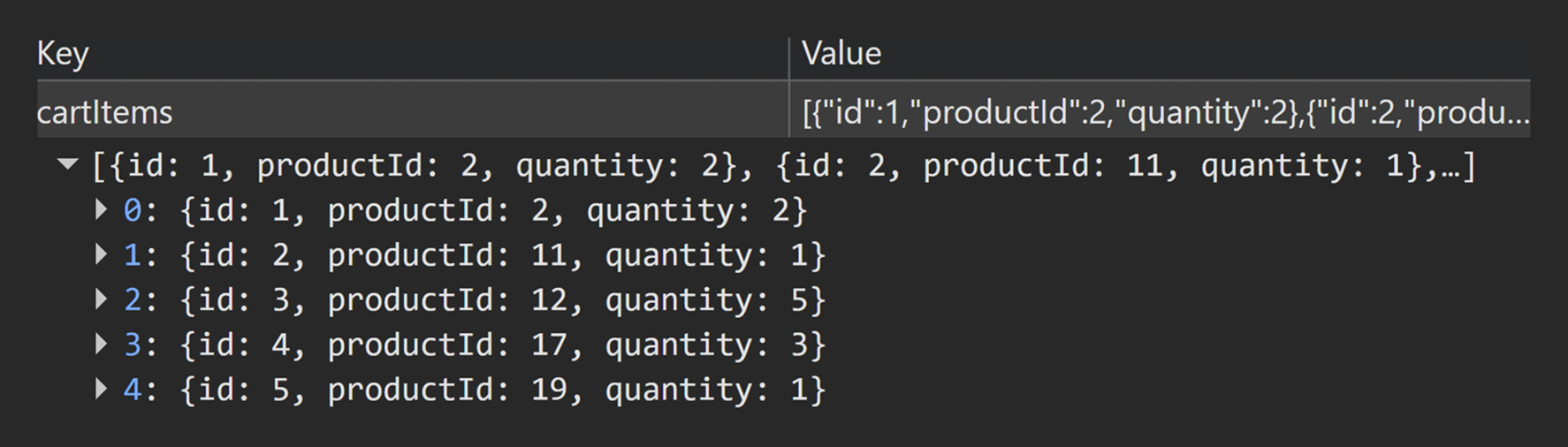
TC-01-Q1-before.png

TC-01-Q1-after.png
TC-02 — Checkout blocked when cart is empty (UI entry point + direct URL)
Priority: P1
Purpose: Prove checkout is blocked when the cart is empty (both via UI and direct URL) and that no order is created as a side effect.
Precondition
- Set cart to empty until Q1 Cart Items Snapshot shows empty cart
[]inlocalStorage.cartItems
localStorage pre-check
- Q1 Cart Items Snapshot shows empty cart
[]fromlocalStorage.cartItems - Q5 Orders for
"auth0|demoUser"(derived from Q4) shows no orders for"auth0|demoUser"
Steps
- Open cart page and confirm checkout action is blocked/absent.
- Navigate directly to
/checkout
localStorage post-check
- Q1 Cart Items Snapshot remains empty cart
[] - Q5 Orders for
"auth0|demoUser"(derived from Q4) still shows no orders for"auth0|demoUser"
Expected
- Checkout not accessible with empty cart (UI gating and direct navigation handled)
- No order created
Result
PASS
Click to view evidence
Evidence
- UI video :
TC-02-UI.mp4
localStorage
TC-02-Q1-before.pngTC-02-Q5-before.pngTC-02-Q1-after.pngTC-02-Q5-after.png

TC-02-Q1-before.png
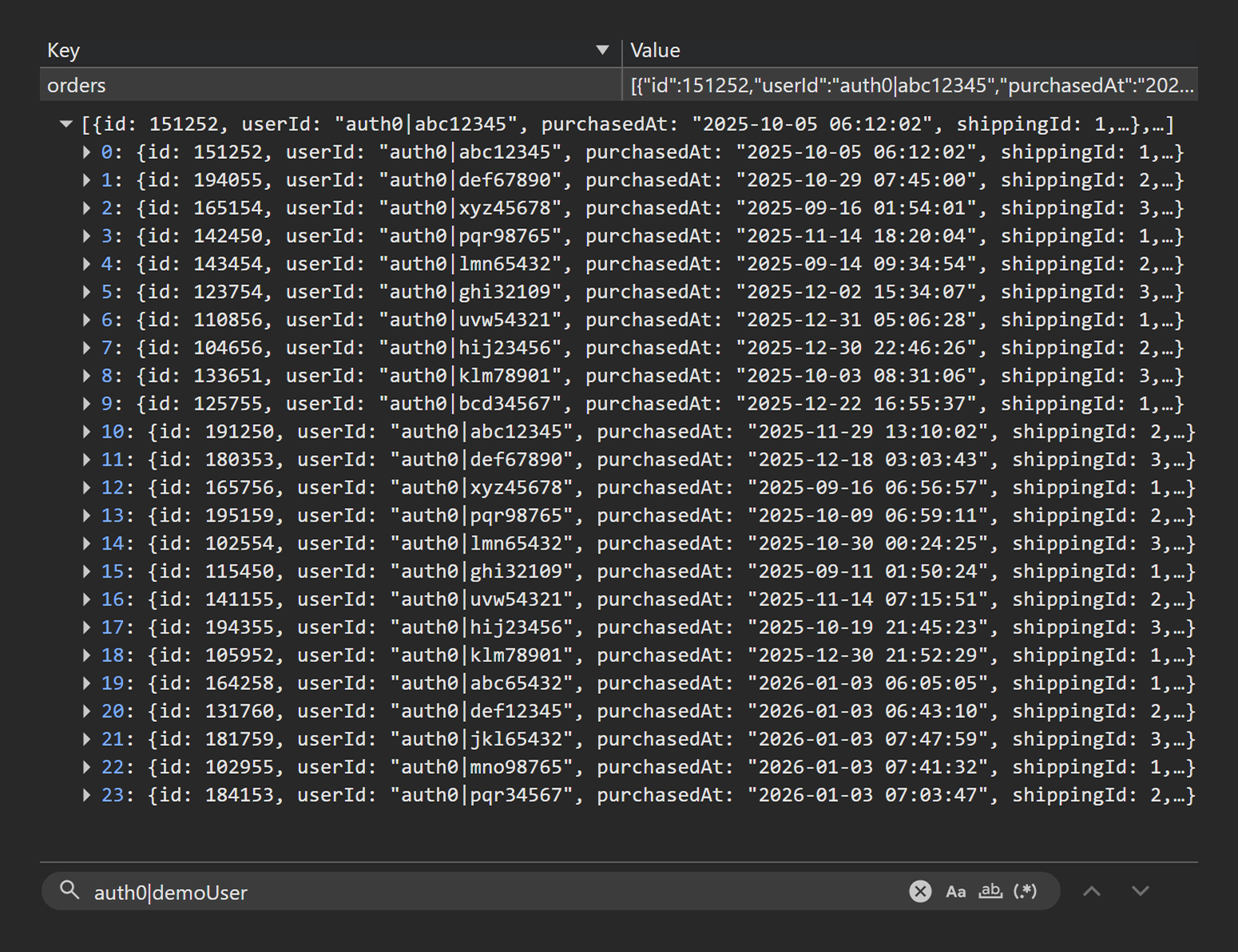
TC-02-Q5-before.png

TC-02-Q1-after.png
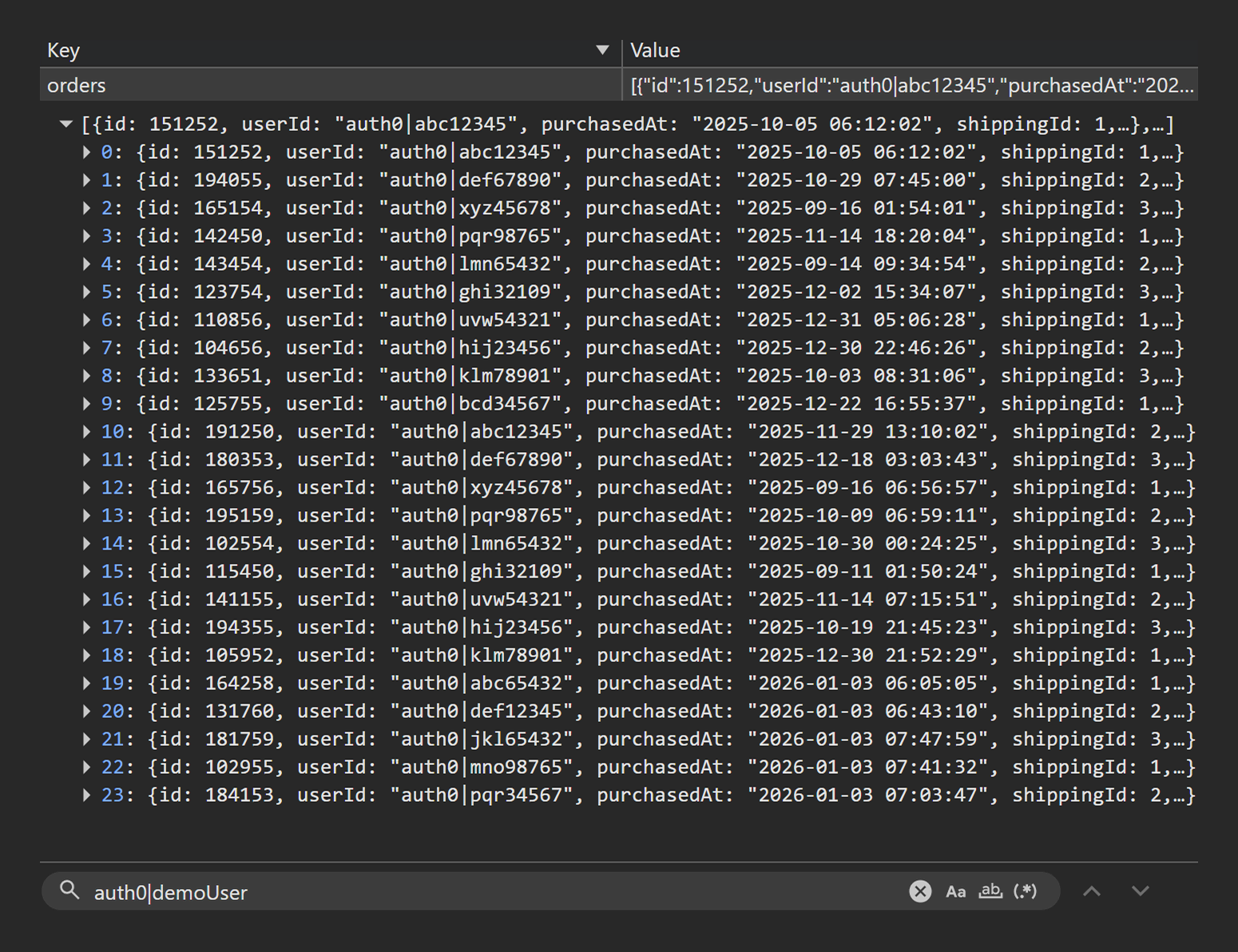
TC-02-Q5-after.png
TC-03 — Shipping options apply correct prices and update total live
Priority: P1
Purpose: Validate shipping options and prices displayed in checkout match shippingOptions, and that totals update immediately when shipping selection changes.
localStorage pre-check
- Q1 Cart Items Snapshot shows baseline cart (non-empty)
- Q2 Shipping Options Catalogue lists shipping options and prices from
localStorage.shippingOptions
Steps
- On
/checkout, switch shipping option across available choices (e.g., Standard → Express → Overnight). - Observe shipping price and total update immediately per selection.
localStorage post-check
- Q1 Cart Items Snapshot unchanged (cart state remains stable in
localStorage.cartItems)
Expected
- UI shipping prices match Q2 Shipping Options Catalogue
- Total updates immediately when shipping selection changes
Result
PASS
Click to view evidence
Evidence
- UI video :
TC-03-UI.mp4
localStorage
TC-03-Q1-before.pngTC-03-Q1-after.pngTC-03-Q2.png
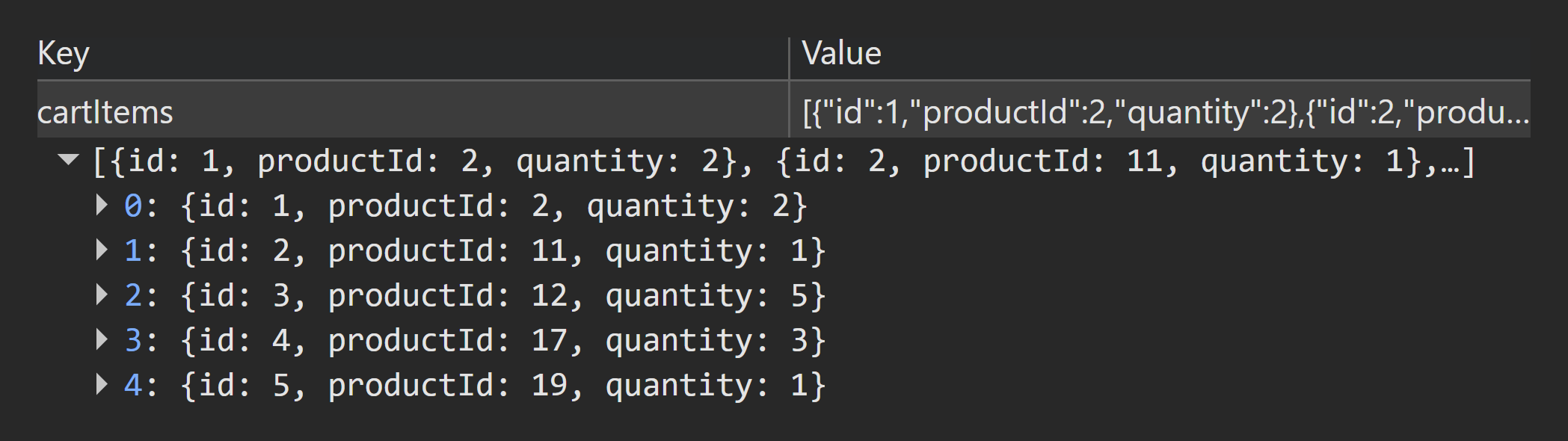
TC-03-Q1-before.png
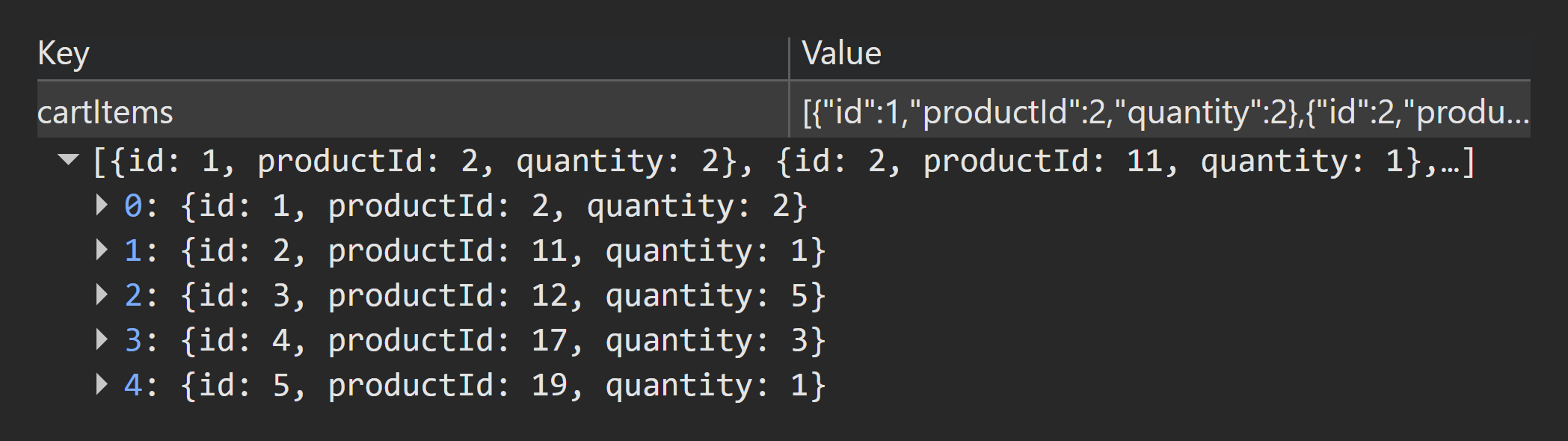
TC-03-Q1-after.png
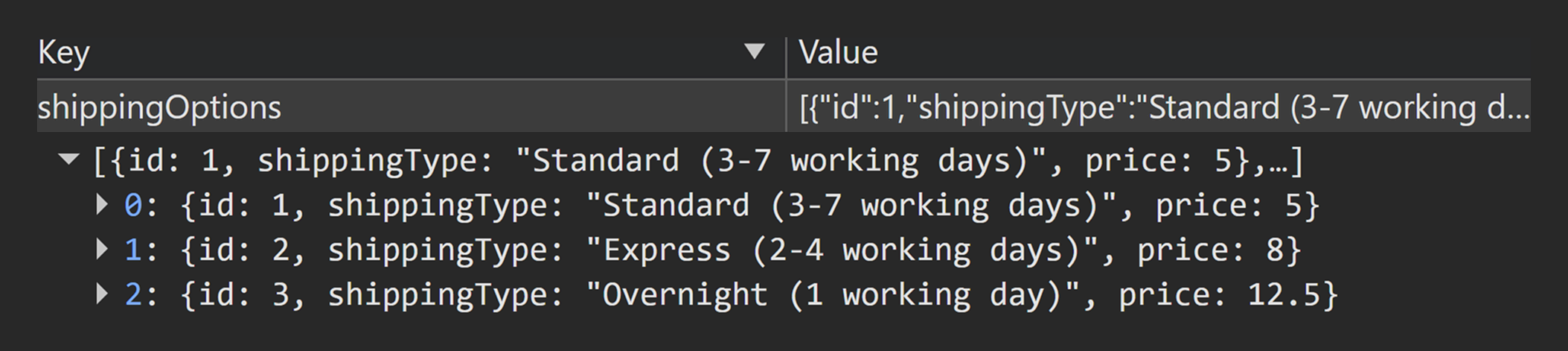
TC-03-Q2.png
Notes
- Shipping selection is UI-only state; persistence is not expected unless explicitly implemented in
localStorage
TC-04 — Order total is correct and rounded to 2dp
Priority: P1
Purpose: Validate total calculation correctness using derived data (Q1 + Q6 + Q2) and confirm total formatting is consistently displayed to 2 decimal places.
localStorage pre-check
- Q1 Cart Items Snapshot provides
productId + quantityfromlocalStorage.cartItems - Q2 Shipping Options Catalogue provides shipping prices from
localStorage.shippingOptions - Q6 Products Catalogue Snapshot provides
product.pricefromlocalStorage.products
Steps
- Record selected shipping type shown in UI.
- Calculate expected total using:
Σ(product.price × quantity) + shipping.pricederived from Q1 + Q6 + Q2. - Compare calculated total to UI total
- Confirm UI total formatting shows exactly 2 decimal places (e.g.,
2.00, 2.10, 2.99).
Expected
- Total equals derived calculation
- Total formatting is consistently 2dp
Result
PASS
Click to view evidence
Evidence
- UI video :
TC-04-UI.mp4
localStorage
TC-04-Q6.pngTC-04-Q2.pngTC-04-Q1.png
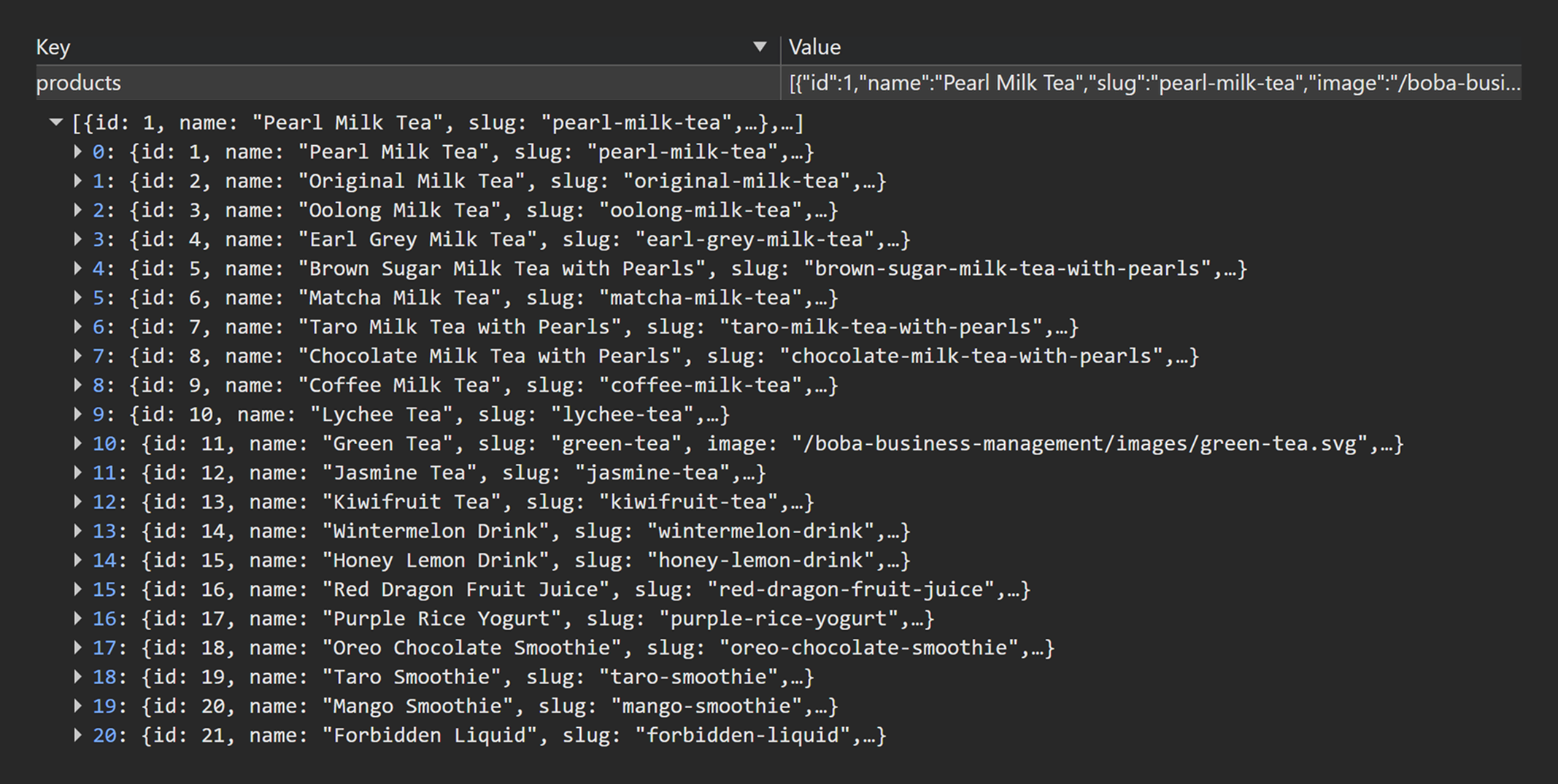
TC-04-Q6.png
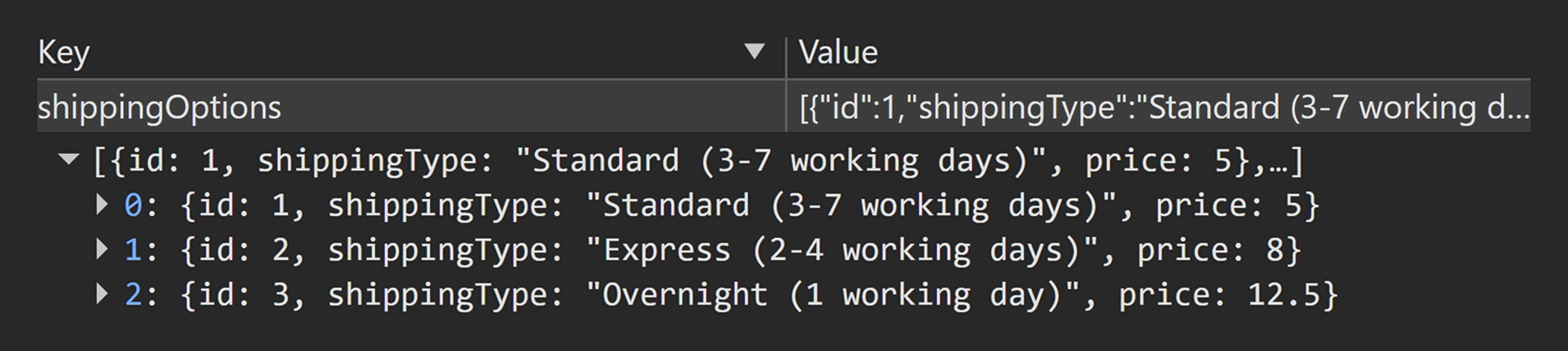
TC-04-Q2.png
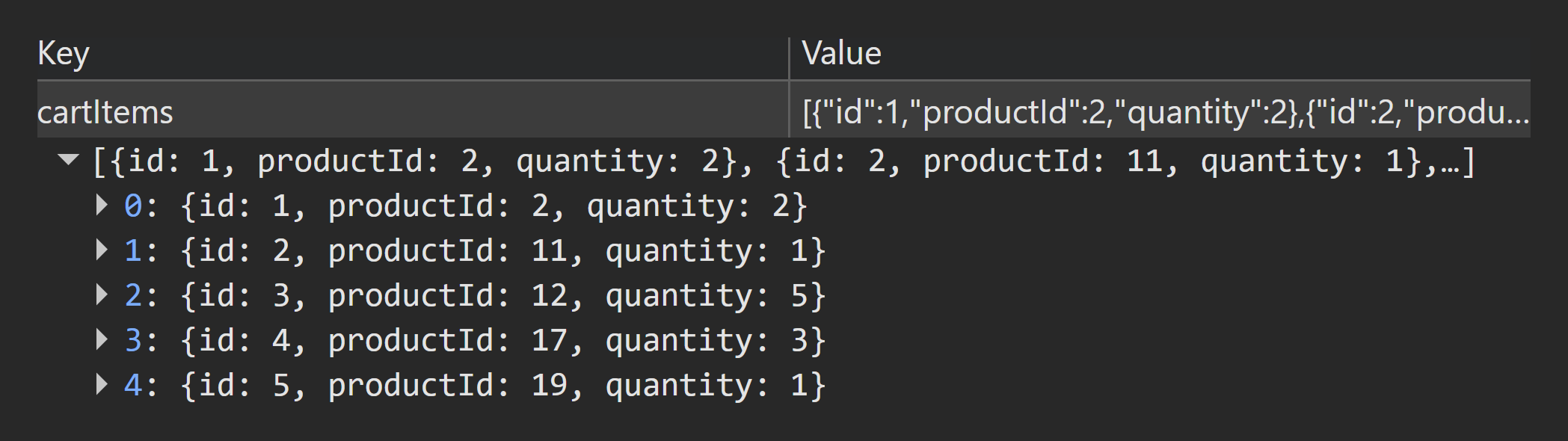
TC-04-Q1.png
Limitations
- This run validated a 2dp output where both decimal places were non-zero; additional formatting cases are covered as follow-up work.
TC-05 — Checkout order items persist across refresh + navigation
Priority: P1
Purpose: Prove cart-backed checkout items persist across refresh and navigation (cart state integrity remains stable across typical user interruptions).
localStorage pre-check
- Q1 Cart Items Snapshot shows baseline cart (non-empty) from
localStorage.cartItems
Steps
- Refresh
/checkout - Navigate away (e.g., home) and return to
/checkout
localStorage post-check
- Q1 Cart Items Snapshot unchanged (baseline still present in
localStorage.cartItems)
Expected
- Checkout shows the same items/quantities as Q1 Cart Items Snapshot after refresh and navigation
Result
PASS
Click to view evidence
Evidence
- UI video :
TC-05-UI.mp4
localStorage
TC-05-Q1-before.pngTC-05-Q1-after.png
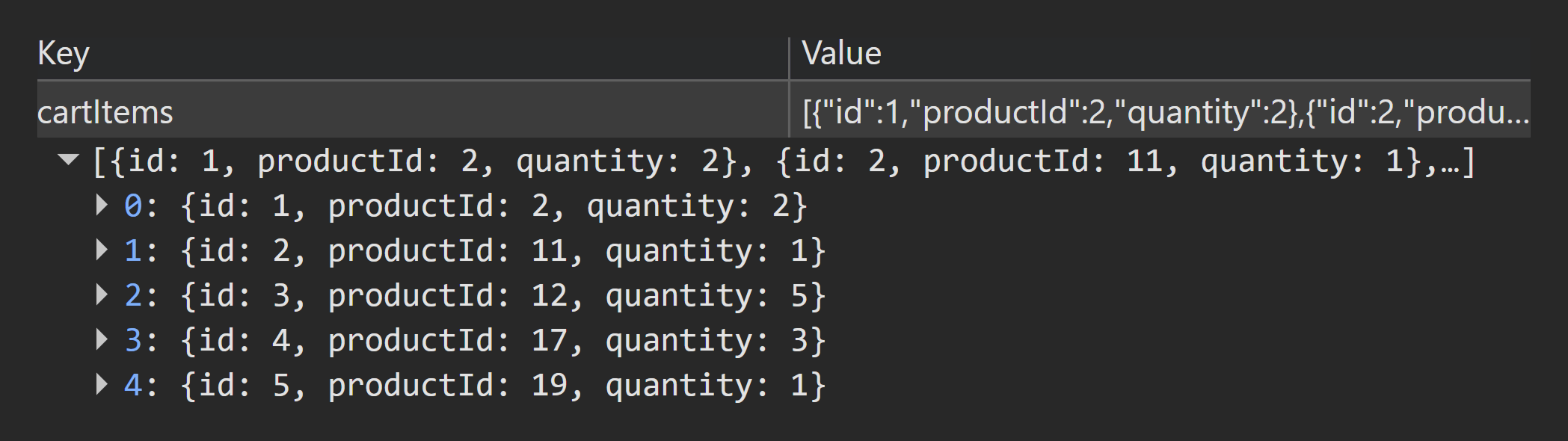
TC-05-Q1-before.png
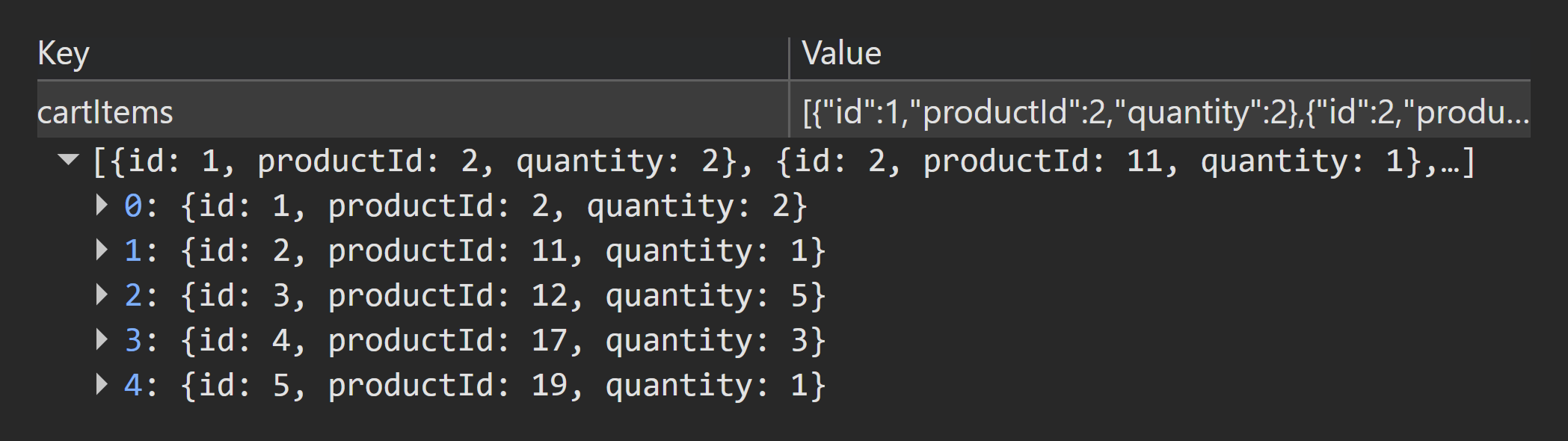
TC-05-Q1-after.png
Notes
- Shipping selection is UI-only state; persistence is not expected unless explicitly implemented in
localStorage
TC-06 — Cross-tab sync: Cart changes reflect on Checkout (qty change + removal)
Priority: P2
Purpose: Validate cross-tab synchronization from cart → checkout: quantity changes and removals propagate on tab refocus without corrupting cartItems.
localStorage pre-check
- Q1 Cart Items Snapshot shows baseline cart (non-empty) from l
ocalStorage.cartItems
Steps
- Tab A: navigate to
/checkout - Tab B: navigate to
/cart - In Tab B:
• Increase quantity forproductId: 2(Original Milk Tea) from2 → 3
• Q9 RemoveproductId: 12(Jasmine Tea) - Return to Tab A.
localStorage post-check
- Q1 Cart Items Snapshot reflects the changes (qty updated + item removed)
Expected
- Checkout updates to match Q1 Cart Items Snapshot upon tab refocus
- No duplicates/corruption introduced into Q1 Cart Items Snapshot
Result
PASS
Click to view evidence
Evidence
- UI video :
TC-06-UI.mp4
localStorage
TC-06-Q1-before.pngTC-06-Q1-after.png

TC-06-Q1-before.png
TC-06-Q1-after.png
TC-07 — Cross-tab sync: Shop changes reflect on Checkout (add new + increment existing)
Priority: P2
Purpose: Validate cross-tab synchronization from shop → checkout: newly added items and quantity increments propagate correctly and remain consistent with cartItems.
localStorage pre-check
- Q1 Cart Items Snapshot shows baseline cart (non-empty) from
localStorage.cartItems
Steps
- Tab A: navigate to
/checkout - Tab B: navigate to
/cart - Add a product not currently in cart (e.g.
productId: 4Earl Grey Milk Tea) - Add a product already in cart (increment existing; e.g.
productId: 19Taro Smoothie1 → 2) - Return to Tab A.
localStorage post-check
- Q1 Cart Items Snapshot shows both changes (new item added + qty increment)
Expected
- Checkout reflects Q1 Cart Items Snapshot correctly after tab refocus
- Quantities match Q1 Cart Items Snapshot
Result
PASS
Click to view evidence
Evidence
- UI video :
TC-07-UI.mp4
localStorage
TC-07-Q1-before.pngTC-07-Q1-after.png
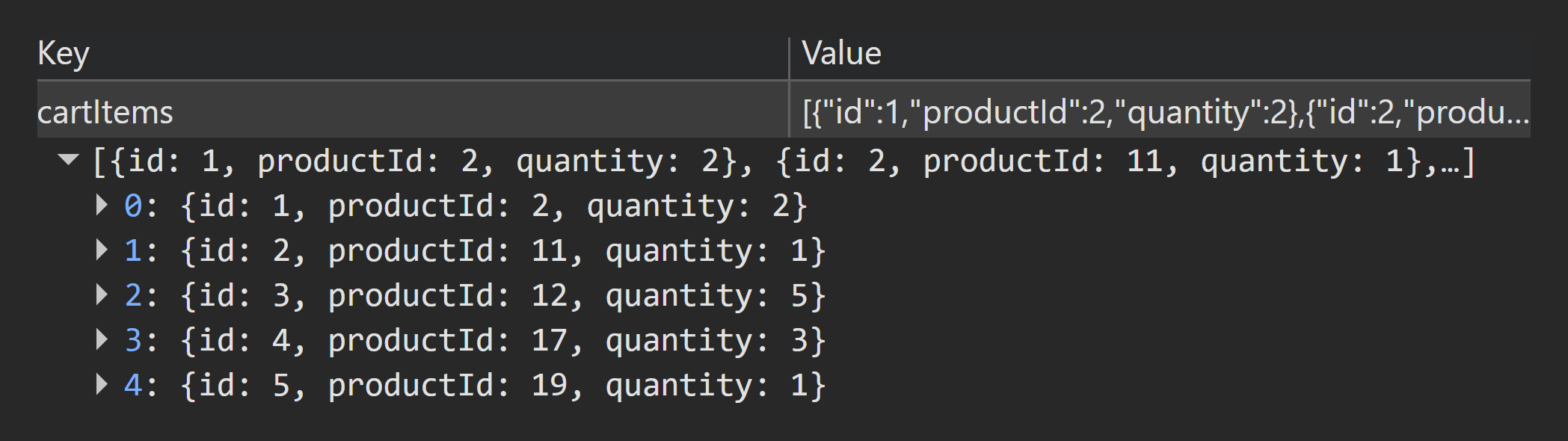
TC-07-Q1-before.png
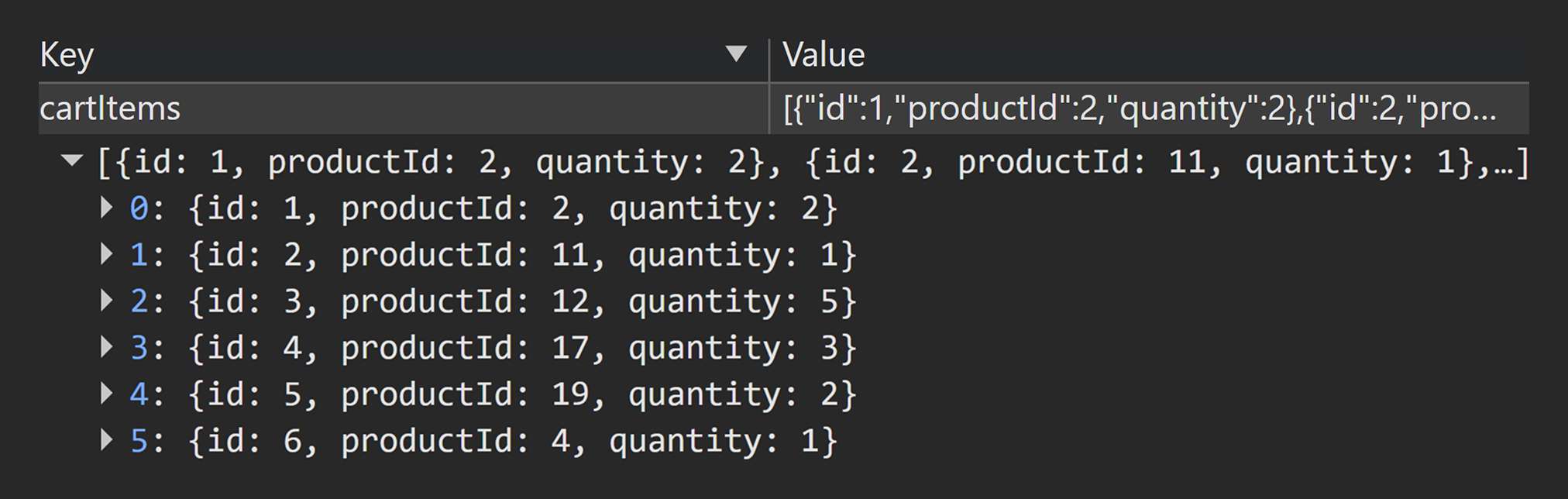
TC-07-Q1-after.png
TC-08 — Cannot complete order with missing required field
Priority: P1
Purpose: Prove required-field validation blocks order creation and prevents any new order record from being stored when mandatory inputs are missing.
localStorage pre-check
- Q5 Orders for "
auth0|demoUser" (derived from Q4) shows no orders for "auth0|demoUser"
Steps
- Clear a required field (e.g.
firstName). - Select Complete Order.
localStorage post-check
- Q5 Orders for "
auth0|demoUser" (derived from Q4) still shows no orders for "auth0|demoUser"
Expected
- Validation error shown
- No order created
Result
PASS
Click to view evidence
Evidence
- UI video :
TC-08-UI.mp4
localStorage
TC-08-Q5-before.pngTC-08-Q5-after.png
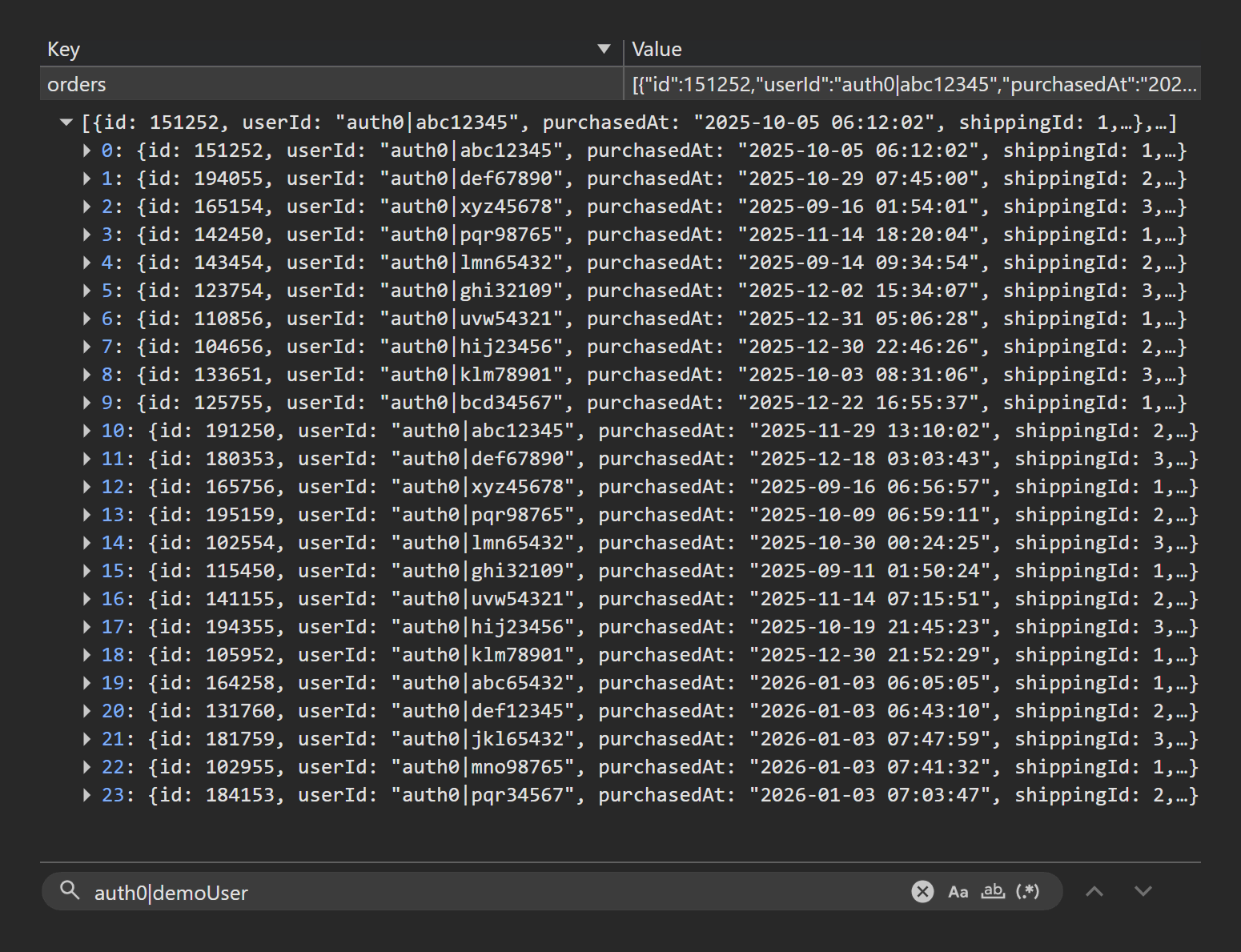
TC-08-Q5-before.png
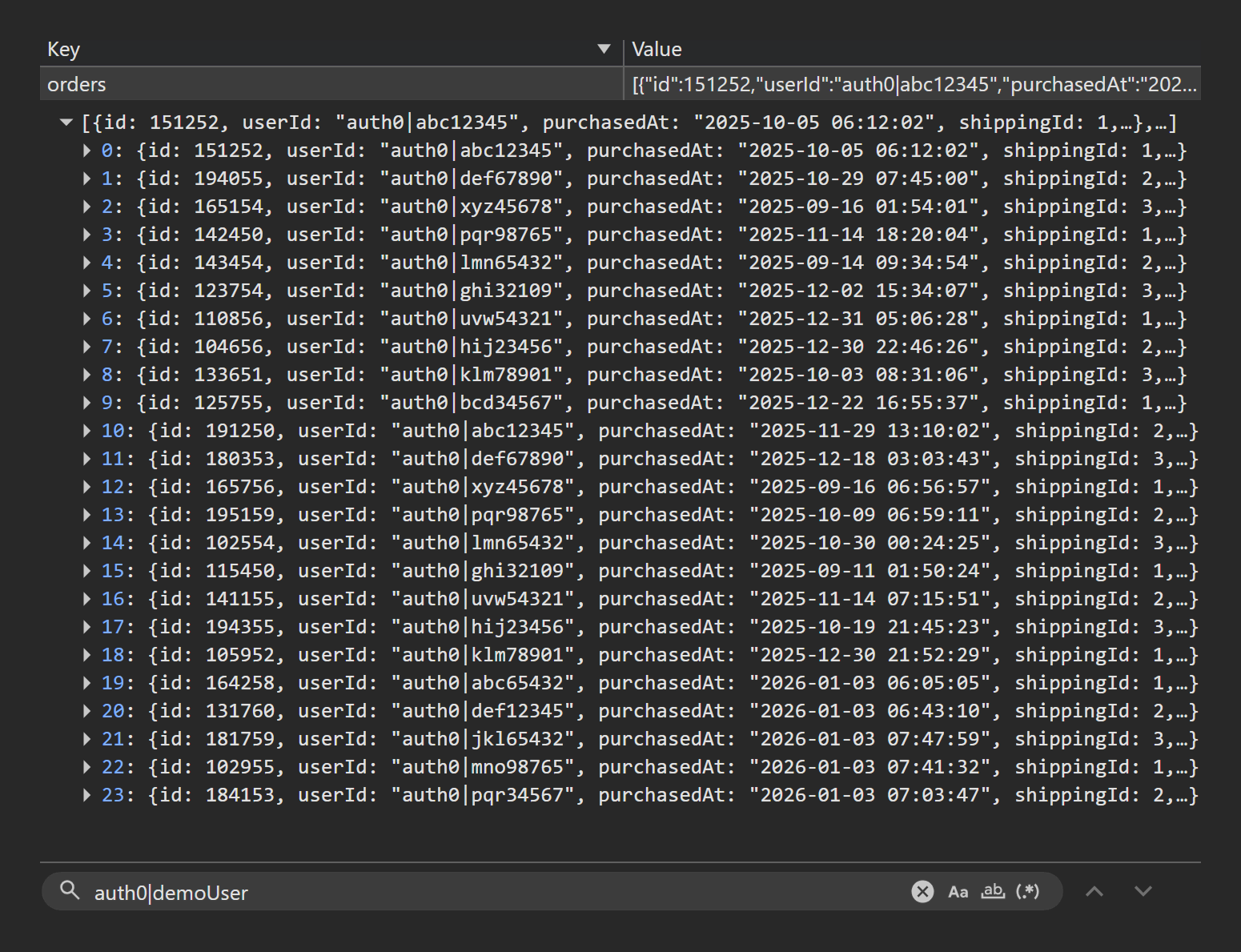
TC-08-Q5-after.png
TC-09 — Cannot complete order with invalid required field format
Priority: P1
Purpose: Prove format validation blocks order creation and prevents any new order record from being stored when mandatory inputs are invalid.
localStorage pre-check
- Q5 Orders for "
auth0|demoUser" (derived from Q4) shows no orders for "auth0|demoUser"
Steps
- Enter invalid data into a required field (e.g.
firstName = 123). - Select Complete Order.
localStorage post-check
- Q5 Orders for "
auth0|demoUser" (derived from Q4) still shows no orders for "auth0|demoUser"
Expected
- Validation error shown
- No order created
Result
PASS
Click to view evidence
Evidence
- UI video :
TC-09-UI.mp4
localStorage
TC-09-Q5-before.pngTC-09-Q5-after.png
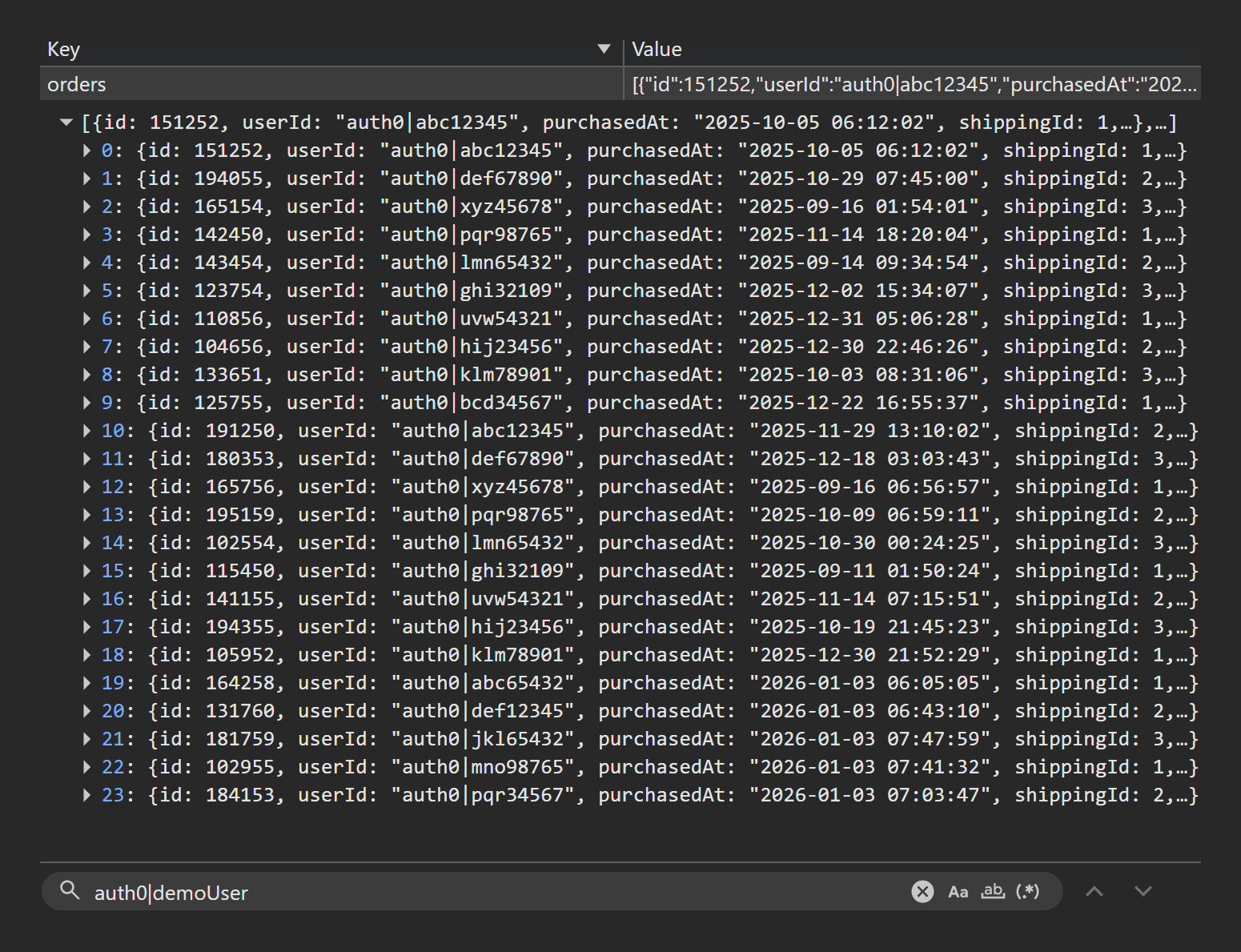
TC-09-Q5-before.png

TC-09-Q5-after.png
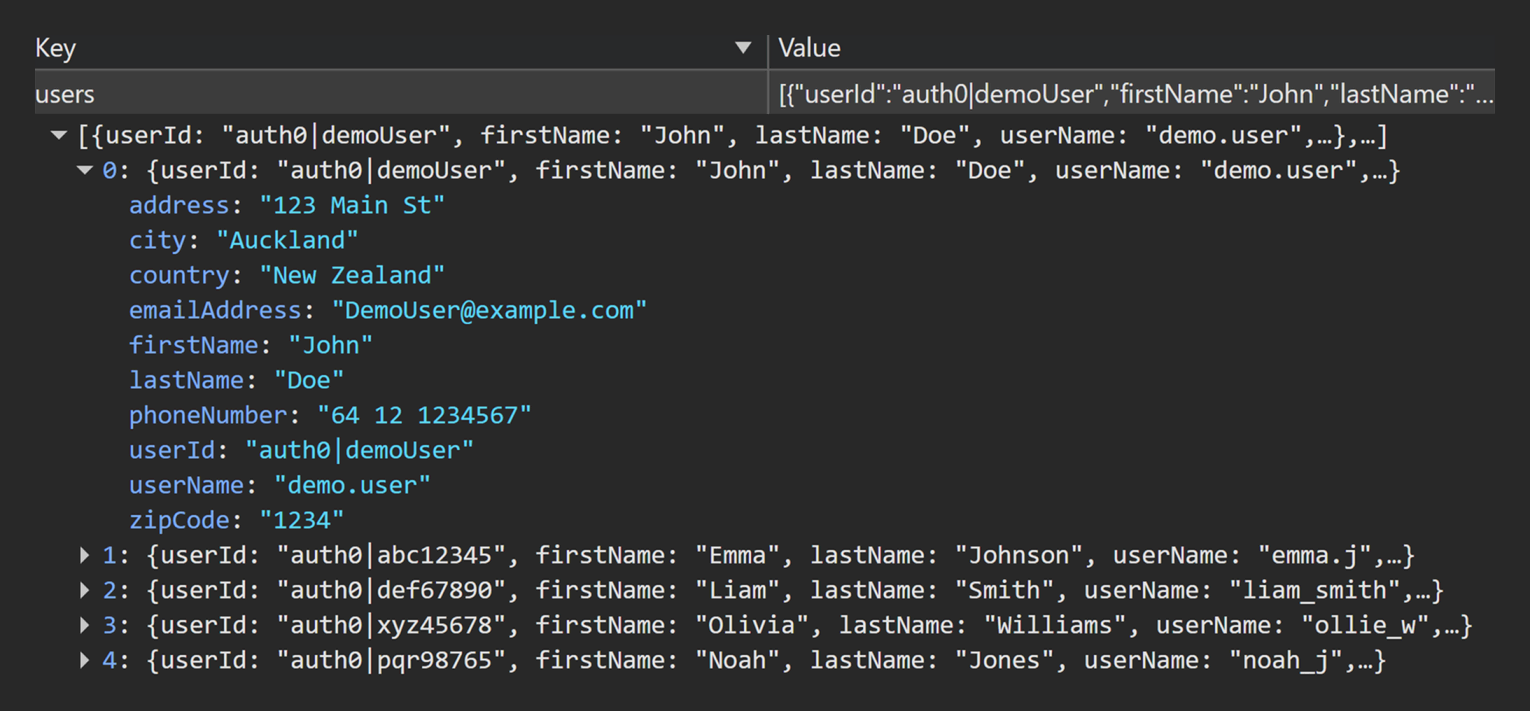
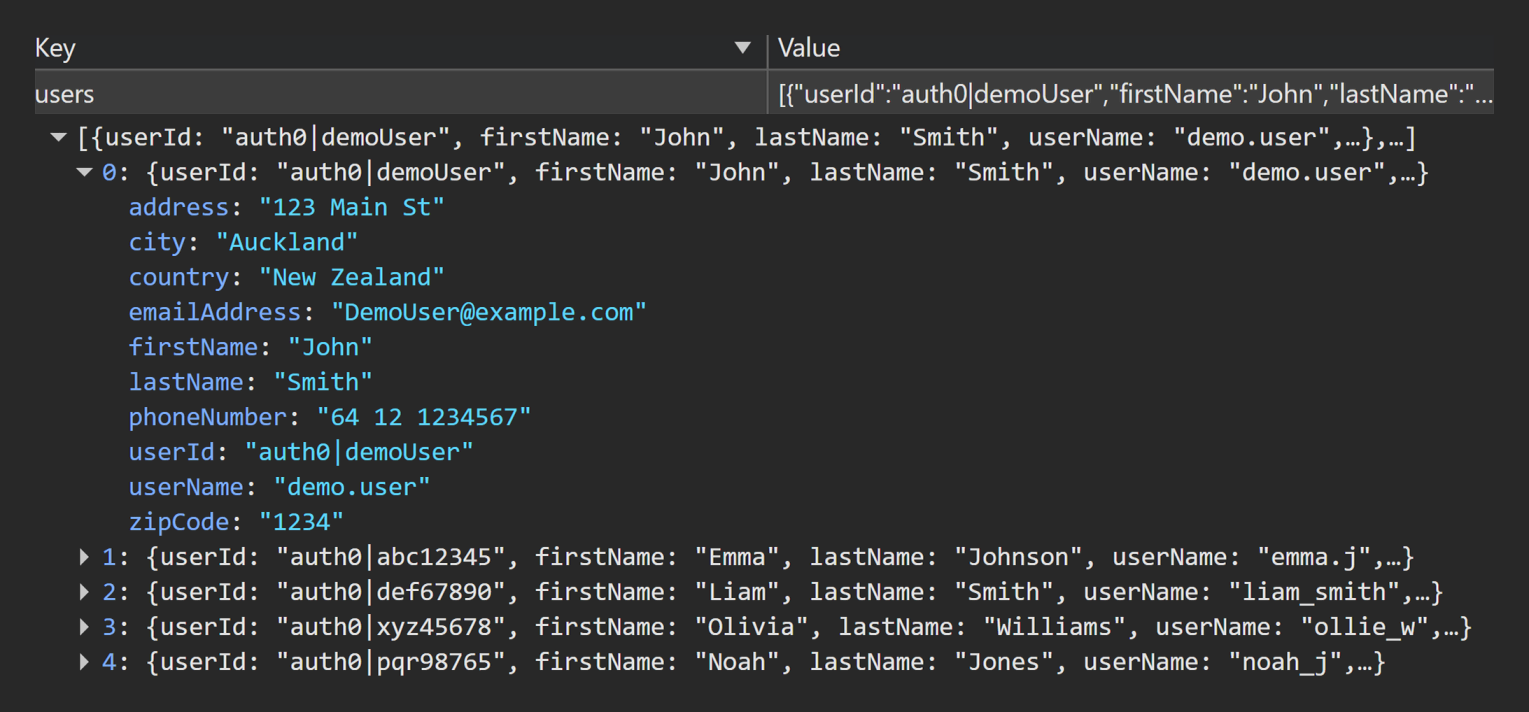
TC-10 — “Load defaults from profile” loads correct user details + reflects edits
Priority: P1
Purpose: Validate checkout profile defaults load from users and that subsequent profile edits are reflected when defaults are reloaded.
localStorage pre-check
- Q3 User details for "
auth0|demoUser" captured fromlocalStorage.users(demo user fields)
Steps
- Clear checkout fields.
- Select Load defaults from profile.
- In another tab, edit profile
lastNamefromDoe→Smithand save. - Return to checkout and select Load defaults from profile again.
localStorage post-check
- Q3 User details for "
auth0|demoUser" reflects updatedlastName(Smith) inlocalStorage.users
Expected
- Loaded fields match Q3 User details for "
auth0|demoUser" - After edit, load defaults reflects latest Q3 values
Result
PASS
Click to view evidence
Evidence
- UI video :
TC-10-UI.mp4
localStorage
TC-10-Q3-before.pngTC-10-Q3-after.png
TC-10-Q3-before.png
TC-10-Q3-after.png
TC-11 — Checkout user details persist across refresh + navigation
Priority: P2
Purpose: Determine whether checkout input fields persist across refresh/navigation and identify persistence gaps that cause loss of entered details.
localStorage pre-check
- Checkout fields populated with non-default values (no
localStoragedraft key exists for checkout inputs)
Steps
- Refresh
/checkout - Navigate away and return to
/checkout
localStorage post-check
- Checkout fields retain the pre-check values
Expected
- Checkout user fields persist after refresh and navigation
Result
FAIL
Observed
- Checkout fields are emptied after refresh/navigation
Impact
- User loses all progress on filling out the checkout page
Suspected cause
- Checkout fields not persisted to
localStorage(UI state only).
Click to view evidence
Evidence
- UI video :
TC-11-UI.mp4
TC-12 — Successful checkout creates exactly 1 order and empties cart
Priority: P1
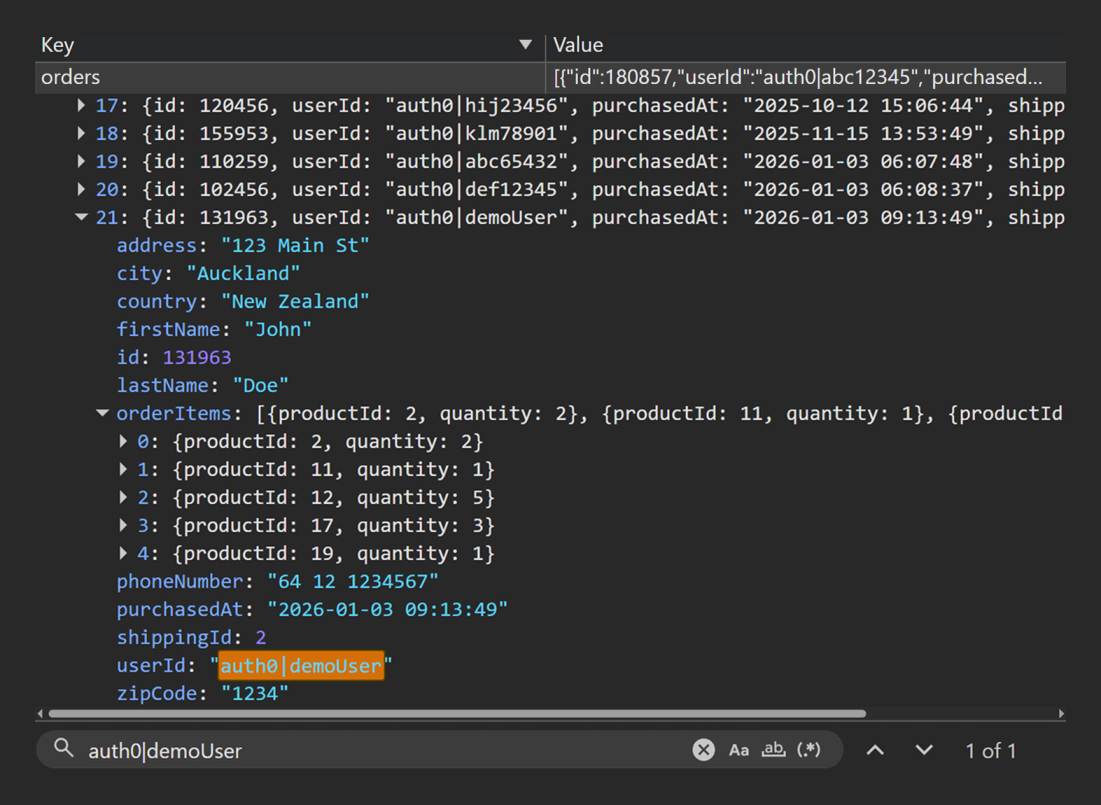
Purpose: Prove the success path: completing checkout creates exactly one stored order for "auth0|demoUser" and clears the cart (cartItems becomes []).
Precondition
- Orders cleared as part of baseline reset; confirm no orders for "
auth0|demoUser"
localStorage pre-check
- Q1 Cart Items Snapshot shows baseline cart (non-empty)
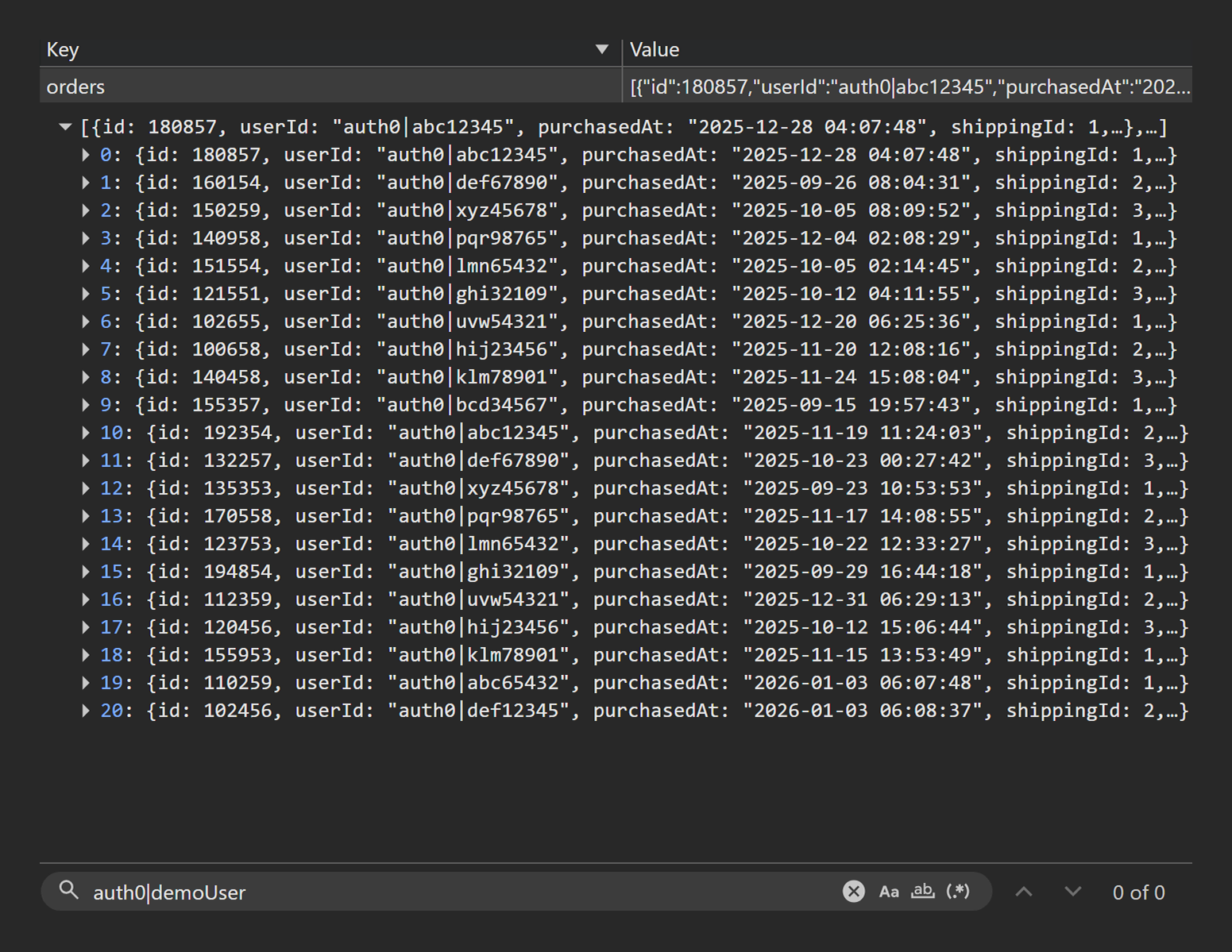
- Q5 Orders for "
auth0|demoUser" (derived from Q4) shows no orders for "auth0|demoUser"
Steps
- Complete checkout successfully.
- Verify cart cleared in UI.
localStorage post-check
- Q1 Cart Items Snapshot shows empty cart
[] - Q5 Orders for "
auth0|demoUser" (derived from Q4) shows exactly one new order for "auth0|demoUser"
Expected
- Confirmation/thank-you page shown
- Exactly one order created
- Cart cleared
Result
PASS
Click to view evidence
Evidence
- UI video :
TC-12-UI.mp4
localStorage
TC-12-Q1-before.pngTC-12-Q5-before.pngTC-12-Q1-after.pngTC-12-Q5-after.png
TC-12-Q1-before.png
TC-12-Q5-before.png

TC-12-Q1-after.png
TC-12-Q5-after.png
TC-13 — Refreshing /thankyou does not duplicate the order
Priority: P1
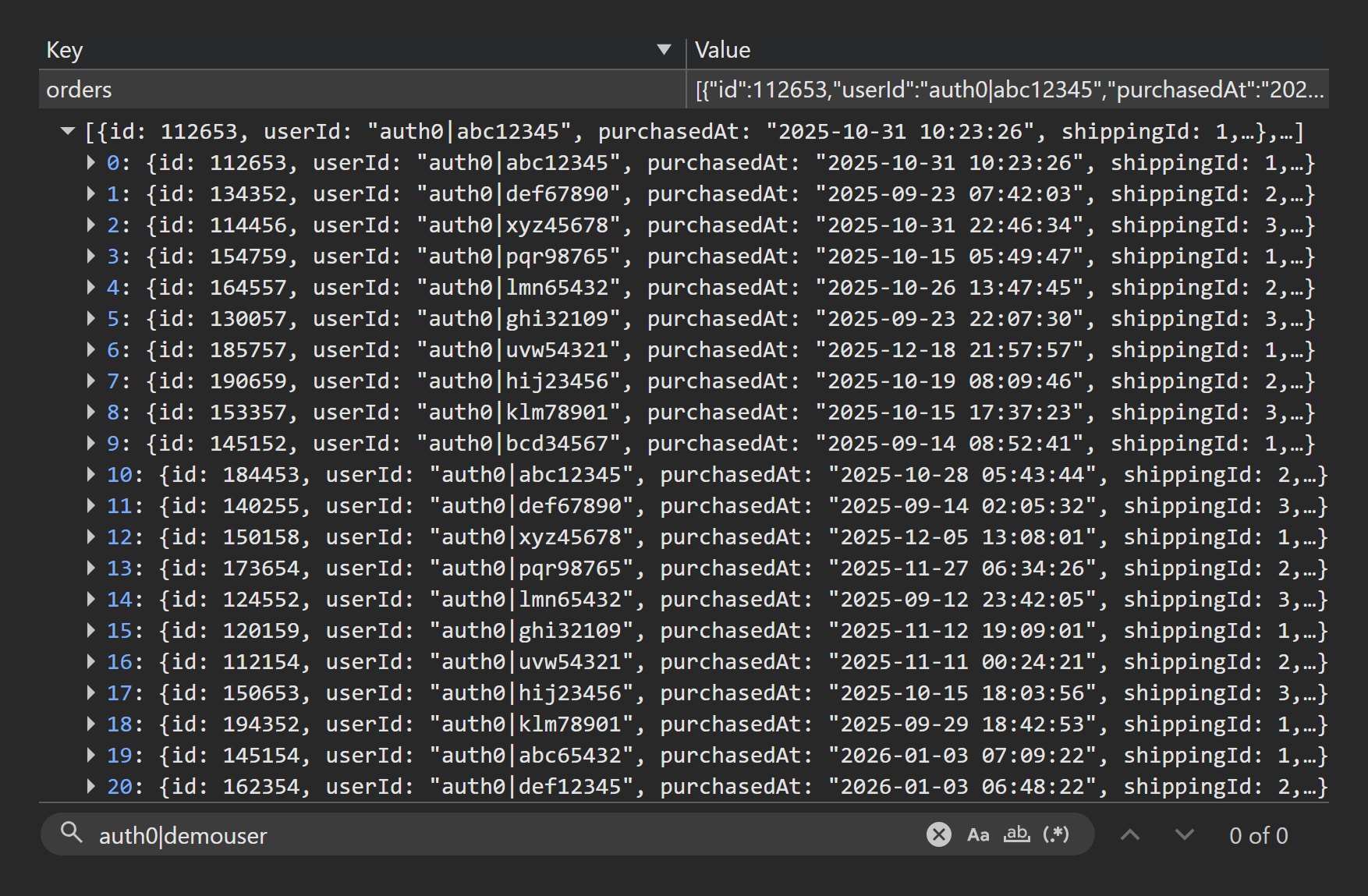
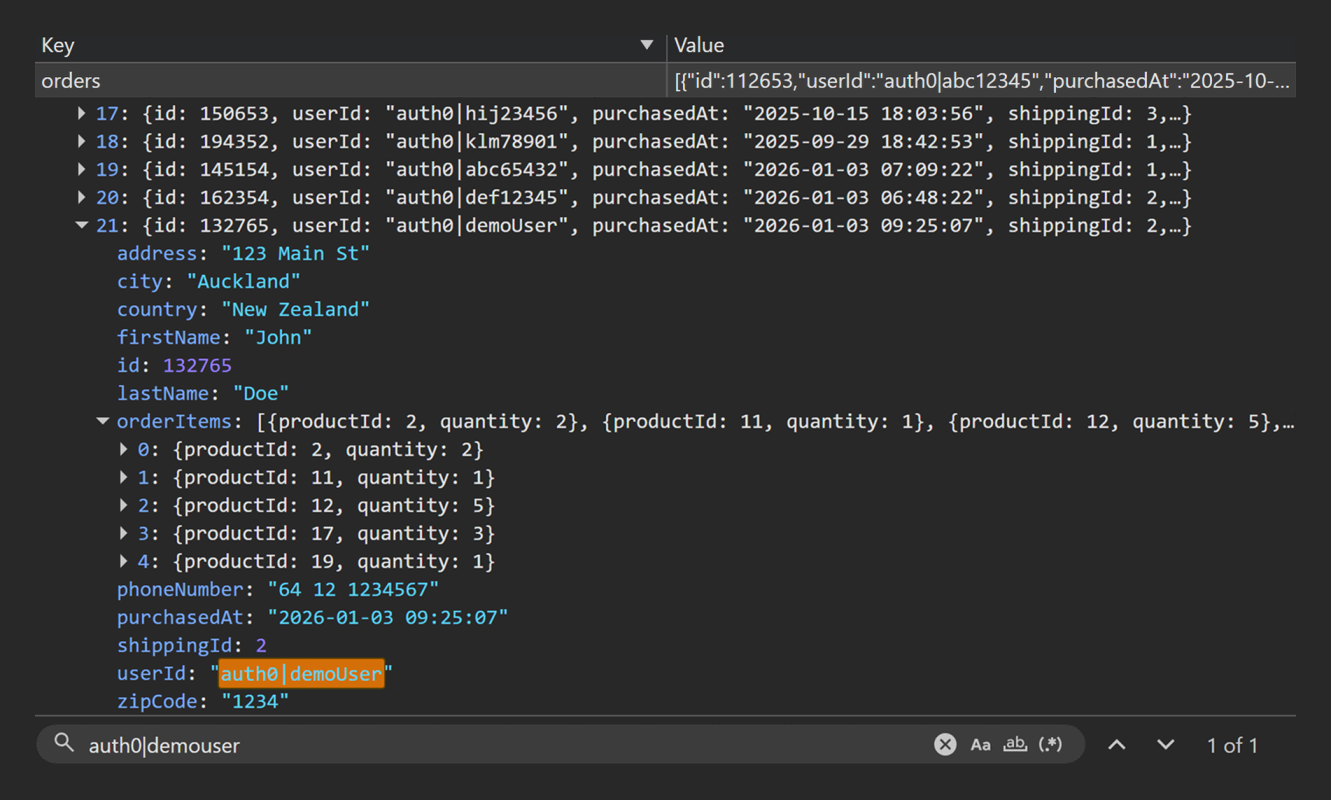
Purpose: Prove refreshing the /thankyou page does not duplicate order creation and stored order count remains stable after refresh.
Precondition
- Orders cleared; baseline cart seeded (non-empty)
localStorage pre-check
- Q5 Orders for "
auth0|demoUser" (derived from Q4) shows no orders for "auth0|demoUser"
Steps
- Complete an order.
- On
/thankyou, refresh the page.
localStorage post-check
- Q5 Orders for "
auth0|demoUser" (derived from Q4) shows only one order created by "auth0|demoUser"
Expected
- Refresh does not create a second order
- No duplicated IDs / cloned order data
Result
PASS
Click to view evidence
Evidence
- UI video :
TC-13-UI.mp4
localStorage
TC-13-Q1.pngTC-13-Q5-before.pngTC-13-Q5-after.png
TC-13-Q1.png
TC-13-Q5-before.png
TC-13-Q5-after.png
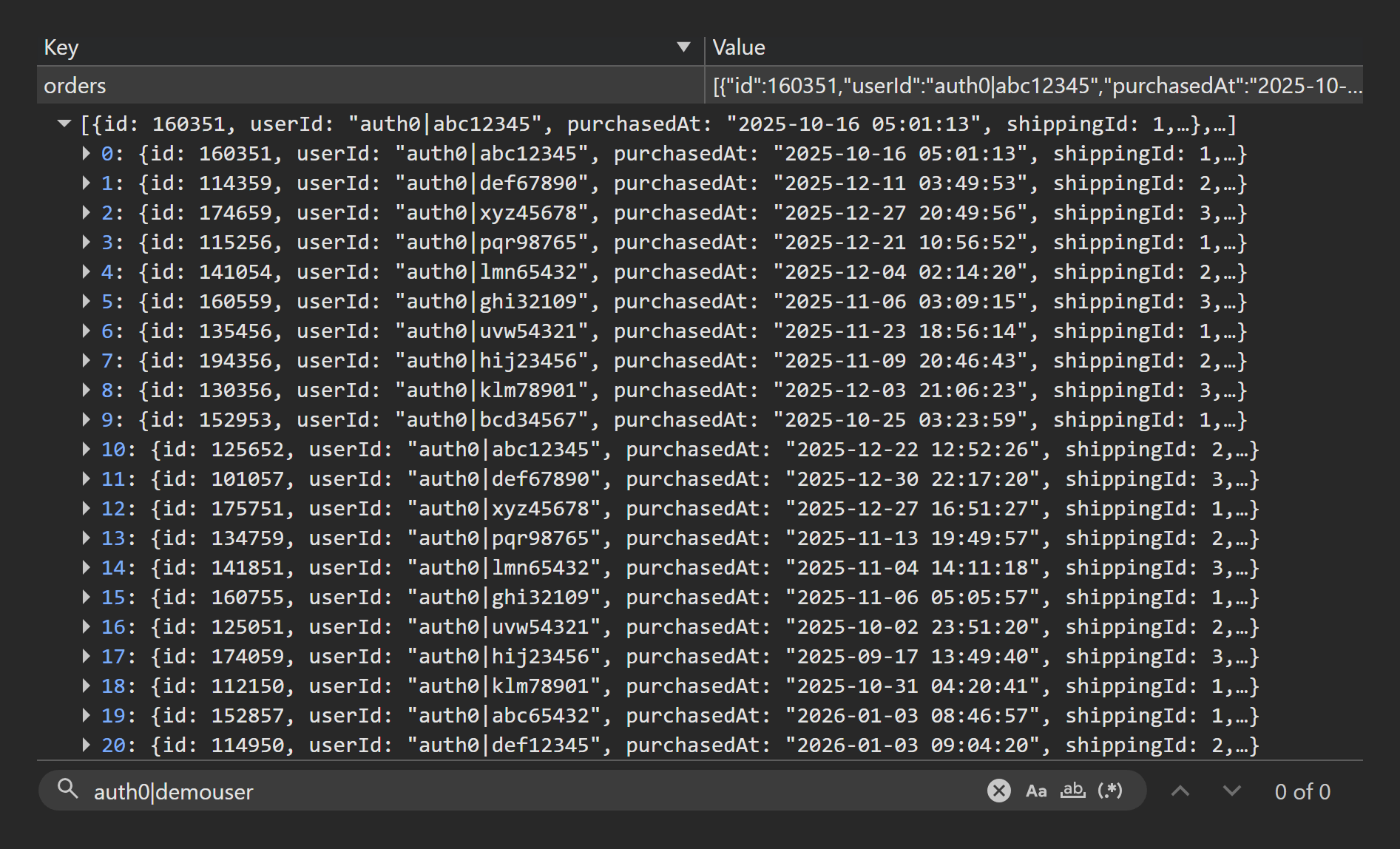
TC-14 — Direct navigation to /thankyou with no order redirects safely
Priority: P1
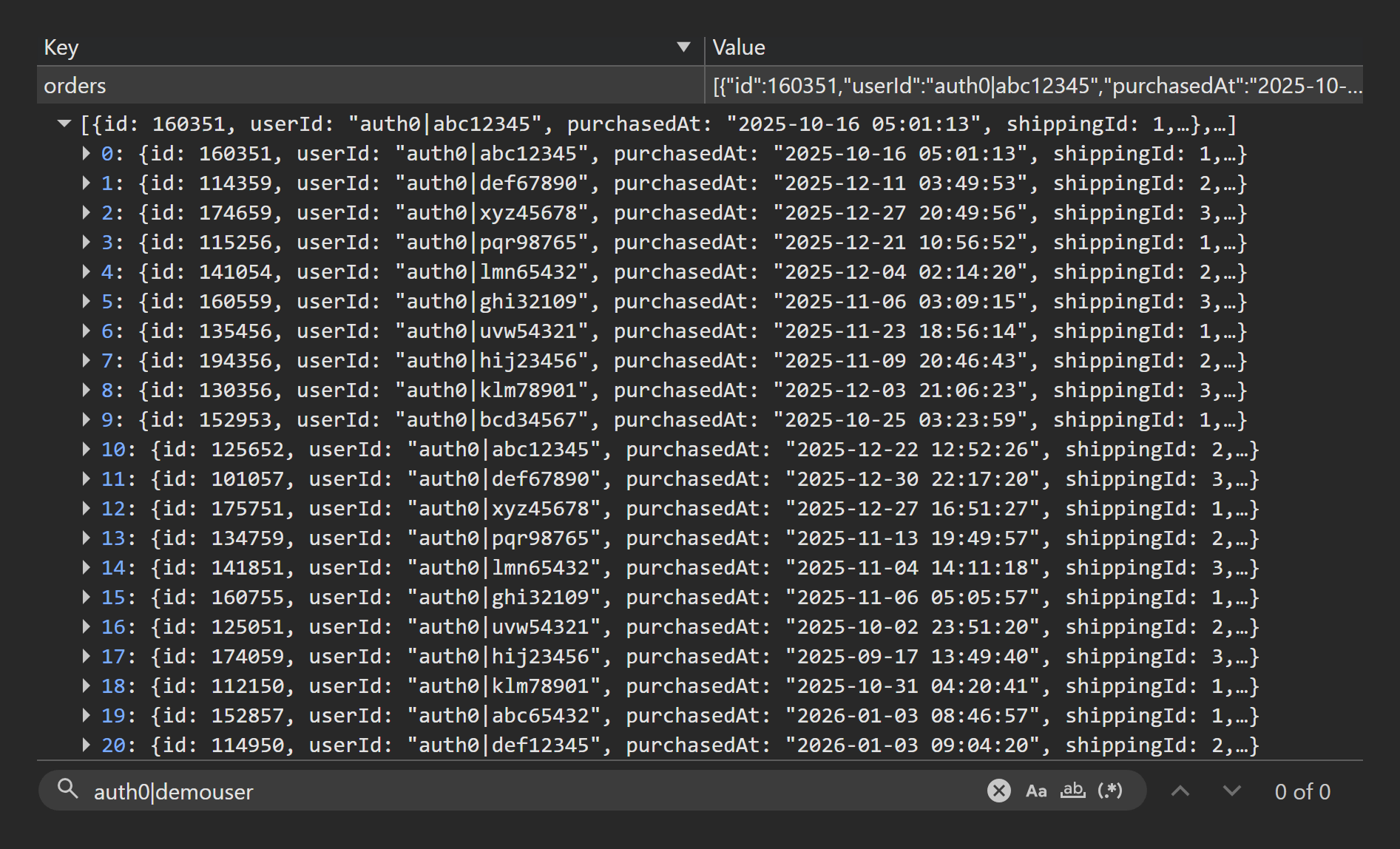
Purpose: Prove route safety: direct navigation to the /thankyou page without a valid preceding order is handled safely and does not create an order.
Precondition
- Orders cleared
localStorage pre-check
- Q5 Orders for "
auth0|demoUser" (derived from Q4) shows no orders for "auth0|demoUser"
Steps
- Navigate directly to
/thankyou.
localStorage post-check
- Q5 Orders for "
auth0|demoUser" (derived from Q4) still shows no orders for "auth0|demoUser"
Expected
- Safe redirect (e.g. home)
- No crash; no order created
Result
PASS
Click to view evidence
Evidence
- UI video :
TC-14-UI.mp4
localStorage
TC-14-Q5-before.pngTC-14-Q5-after.png
TC-14-Q5-before.png
TC-14-Q5-after.png
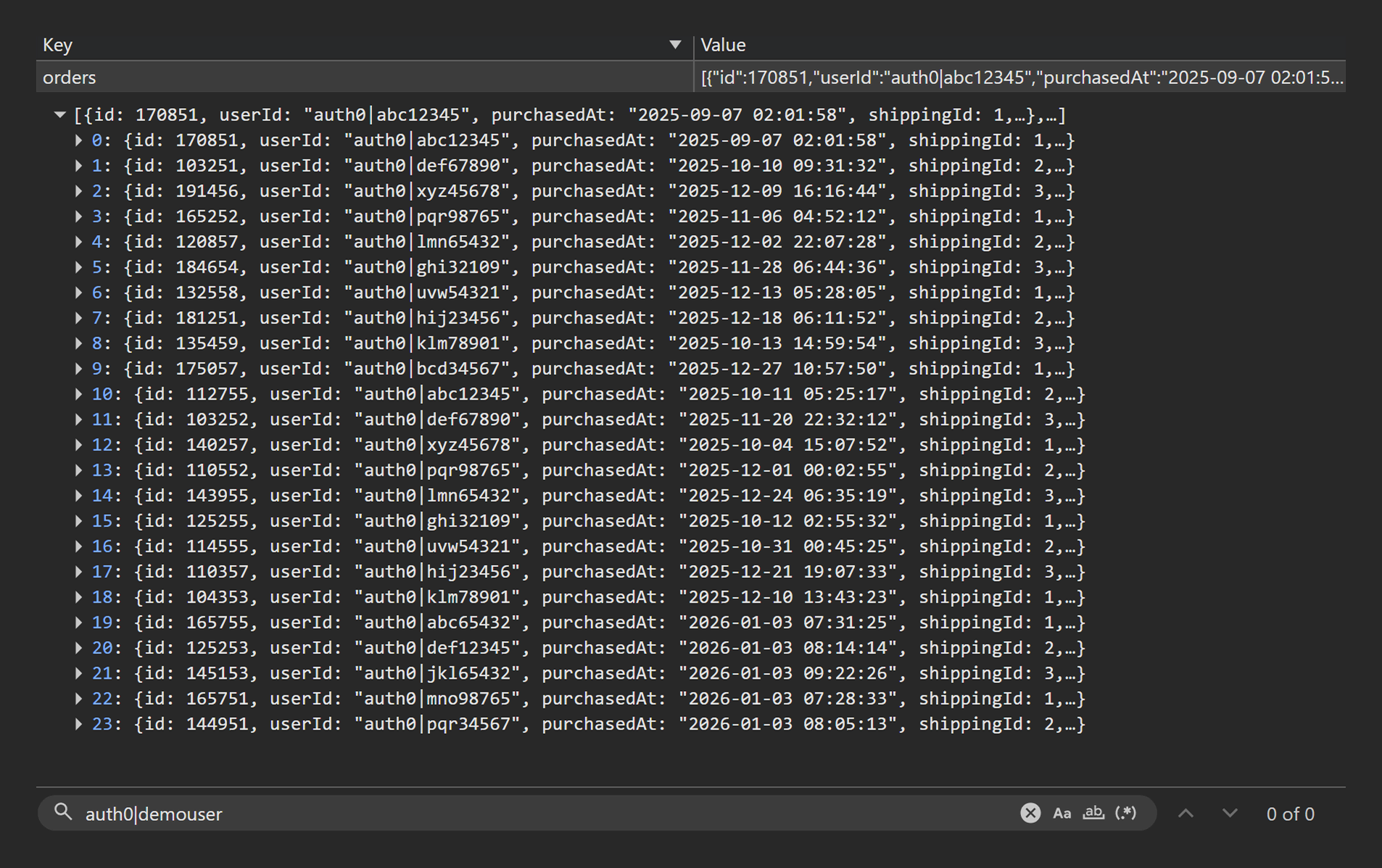
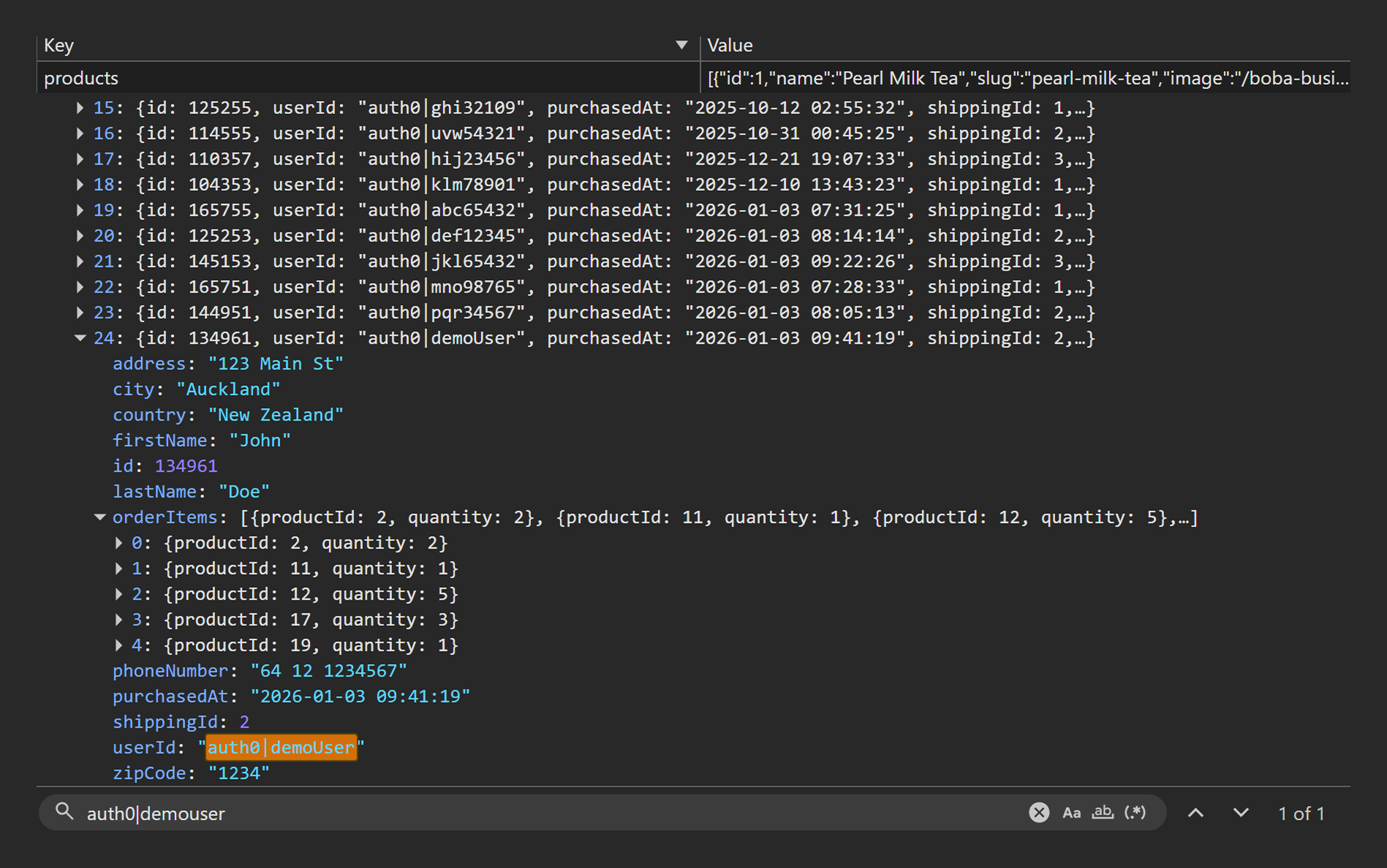
TC-15 — Admin + user order summaries match stored order and totals
Priority: P1
Purpose: Validate admin and user order summaries match the stored order data and totals remain consistent across checkout, admin view, and user profile view.
Precondition
- Orders cleared; baseline cart seeded
localStorage pre-check
- Q5 Orders for "
auth0|demoUser" (derived from Q4) shows no orders for "auth0|demoUser"
Steps
- Complete checkout and note the order ID on the
/thankyoupage - Verify the order in:
• Admin orders summary
• User profile order summary
localStorage post-check
- Q5 Orders for "
auth0|demoUser" (derived from Q4) shows one order created by "auth0|demoUser" matching the order viewed in admin and user summaries
Expected
- Admin view, user view, and stored order align (items, quantities, shipping selection reference, totals)
Result
FAIL
Observed
- User profile order total exceeds checkout/admin total by
$8(shipping amount).
Impact
- Incorrect order total displayed on the user profile order summary.
Suspected cause
- Shipping cost added twice in user profile summary calculation.
Click to view evidence
Evidence
- UI video :
TC-15-UI.mp4
localStorage
TC-15-Q5-before.pngTC-15-Q5-after.png
TC-15-Q5-before.png
TC-15-Q5-after.png
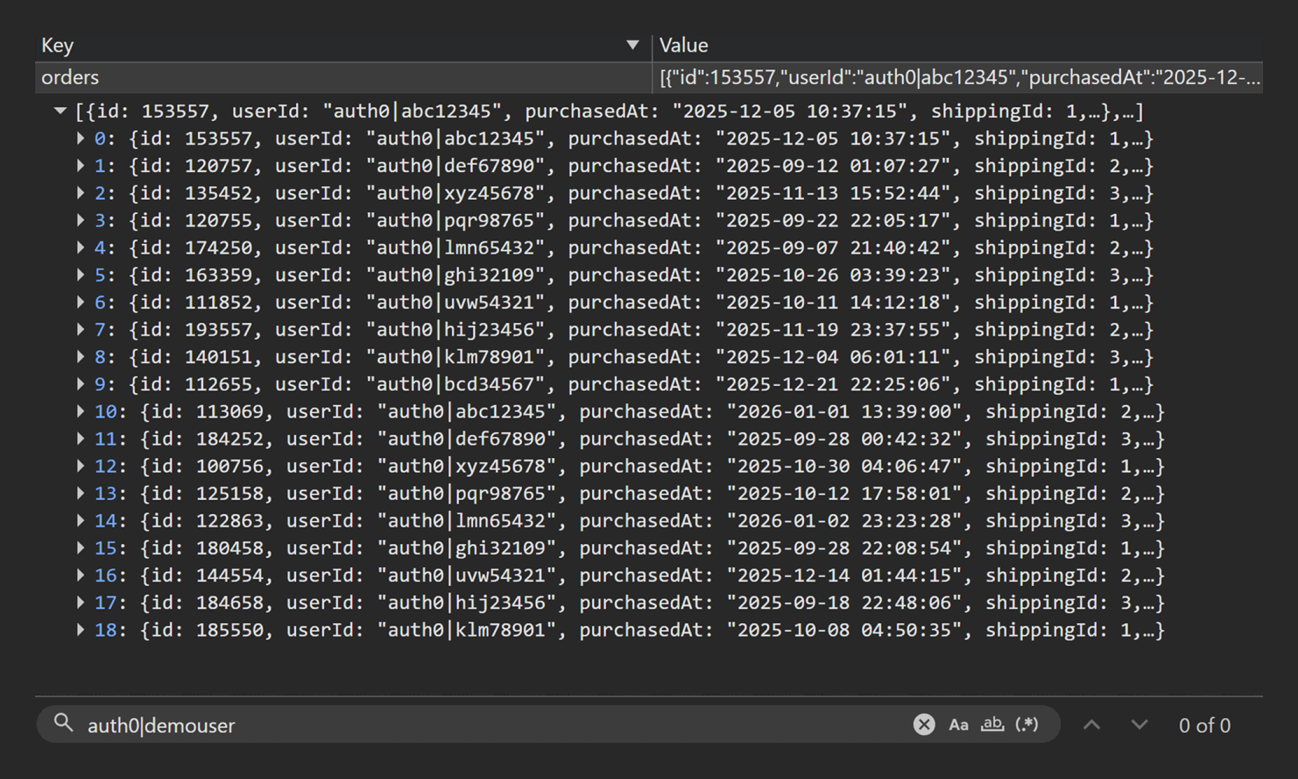
TC-16 — Back-to-back orders generate unique IDs
Priority: P2
Purpose: Prove back-to-back purchases create distinct orders with unique IDs and the stored order count increments correctly.
Precondition
- Orders cleared
localStorage pre-check
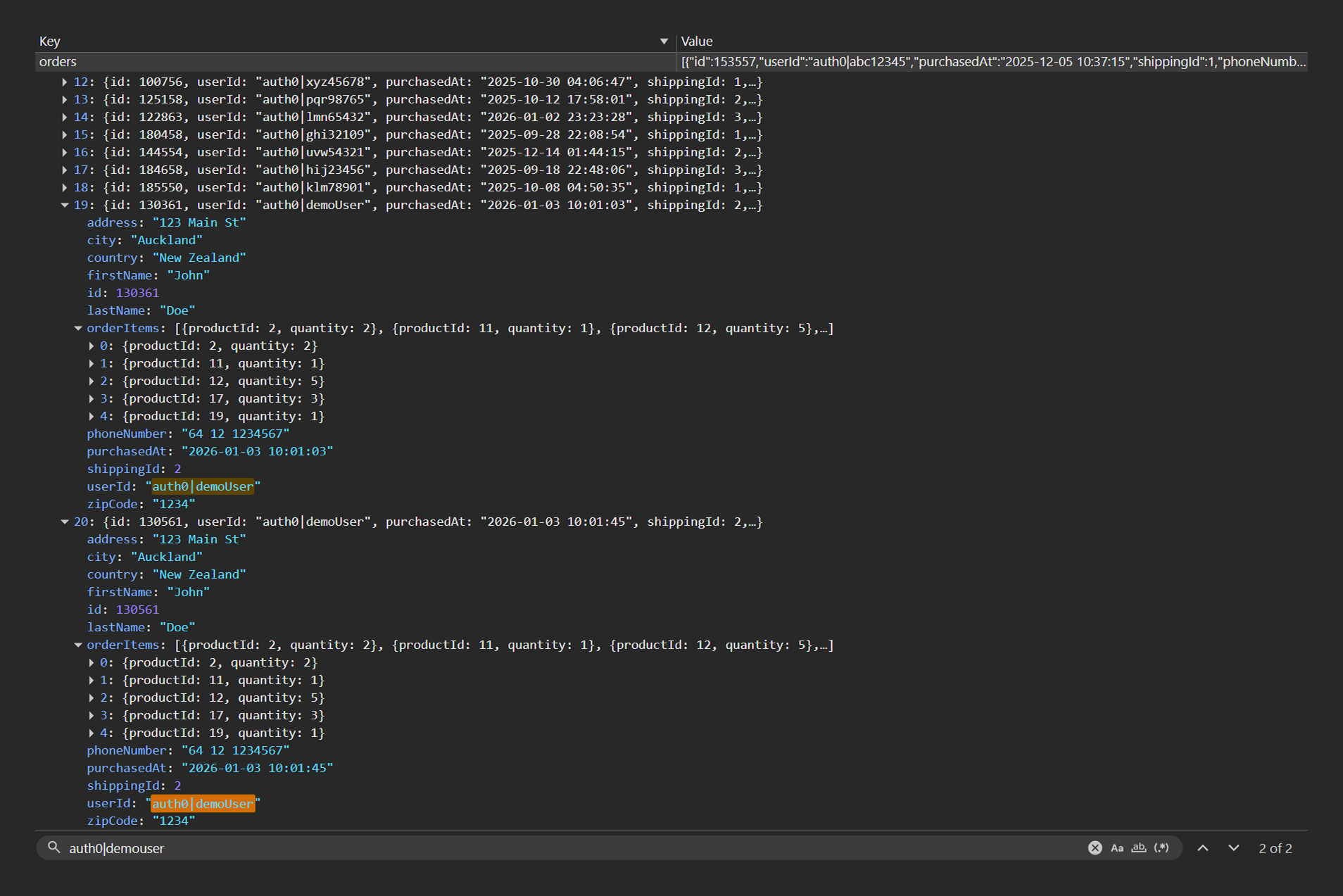
- Q5 Orders for "
auth0|demoUser" (derived from Q4) shows no orders for "auth0|demoUser"
Steps
- Seed baseline cart.
- Complete Order A; record order ID.
- Restore baseline cart.
- Complete Order B; record order ID.
localStorage post-check
- Q5 Orders for "
auth0|demoUser" (derived from Q4) shows exactly two orders for "auth0|demoUser" - Order IDs are distinct
Expected
- Two orders exist with unique IDs
Result
PASS
Click to view evidence
Evidence
- UI video :
TC-16-UI.mp4
localStorage
TC-16-Q5-before.pngTC-16-Q5-after.png
TC-16-Q5-before.png
TC-16-Q5-after.png
TC-17 — Cannot increase quantity of an item beyond its stock
Priority: P1
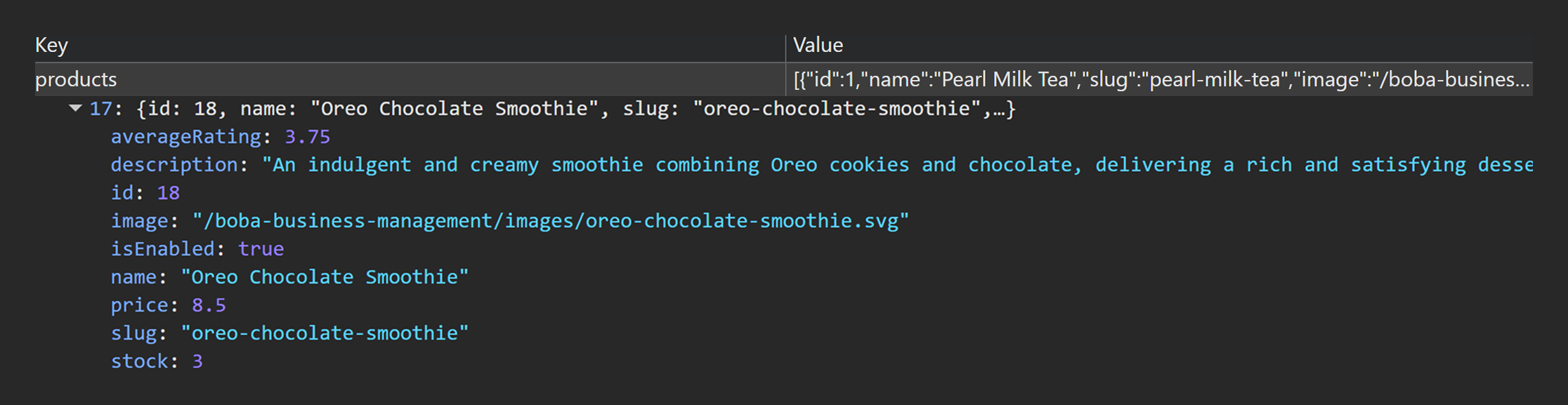
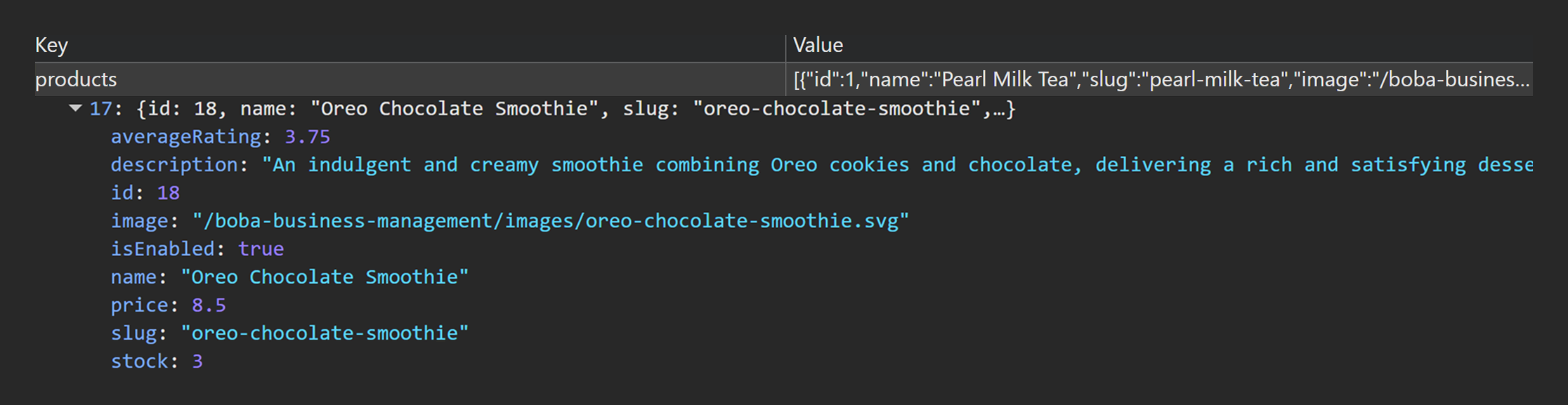
Purpose: Validate stock enforcement prevents increasing cart quantity beyond available stock and that stock values do not change without purchase.
localStorage pre-check
- Q6 Products Catalogue Snapshot used to identify a low-stock (<10) enabled product in
localStorage.products
Steps
- Add the low-stock product to cart.
- Increase quantity until stock limit is reached.
- Attempt to increase beyond stock limit.
localStorage post-check
- Q6 Products Catalogue Snapshot shows stock unchanged for the selected product (since no order was made)
Expected
- Increment quantity control disabled at stock limit
- Stock remains unchanged without purchase
Result
PASS
Click to view evidence
Evidence
- UI video :
TC-17-UI.mp4
localStorage
TC-17-Q6-before.pngTC-17-Q6-after.png
TC-17-Q6-before.png
TC-17-Q6-after.png
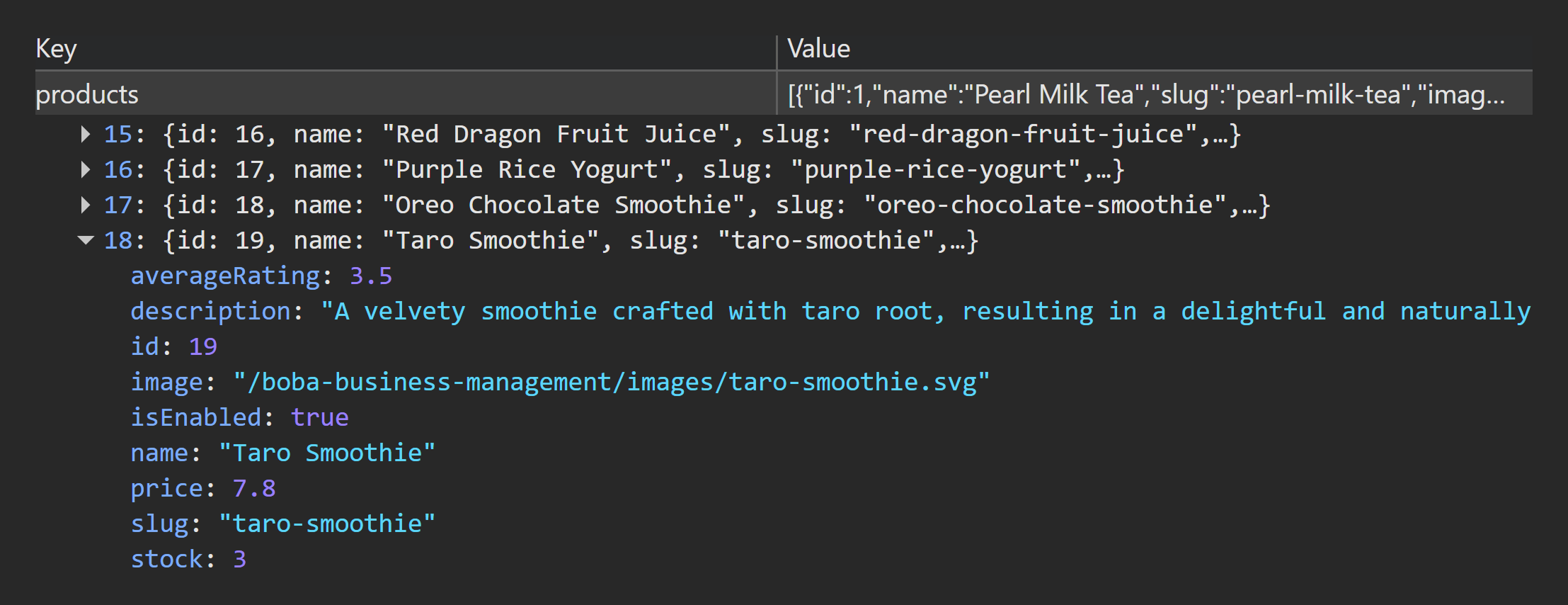
TC-18 — Admin restock allows to increase quantity in cart
Priority: P2
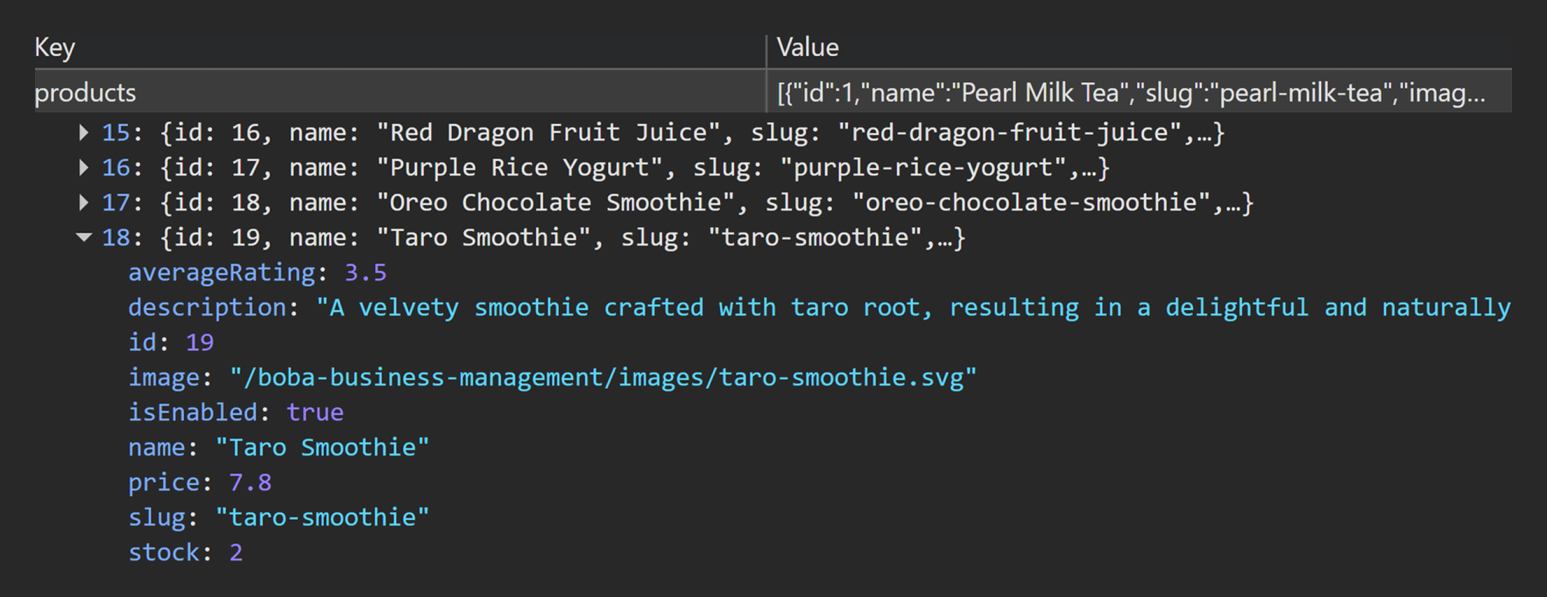
Purpose: Validate admin restock increases stored stock and immediately enables increasing cart quantity by the newly available amount.
localStorage pre-check
- Q6 Products Catalogue Snapshot used to identify a low-stock enabled product in
localStorage.products
Steps
- Confirm quantity cannot be increased beyond current stock.
- In Admin, restock product by
+1 - Increase cart quantity by
+1and confirm the new stock limit applies.
localStorage post-check
- Q6 Products Catalogue Snapshot shows stock increased by
+1for the product
Expected
- Restock increases available quantity by
+1 - Stock updates correctly in Q6 Products Catalogue Snapshot
Result
PASS
Click to view evidence
Evidence
- UI video :
TC-18-UI.mp4
localStorage
TC-18-Q6-before.pngTC-18-Q6-after.png
TC-18-Q6-before.png
TC-18-Q6-after.png
TC-19 — Successful checkout subtracts stock for each ordered item
Priority: P1
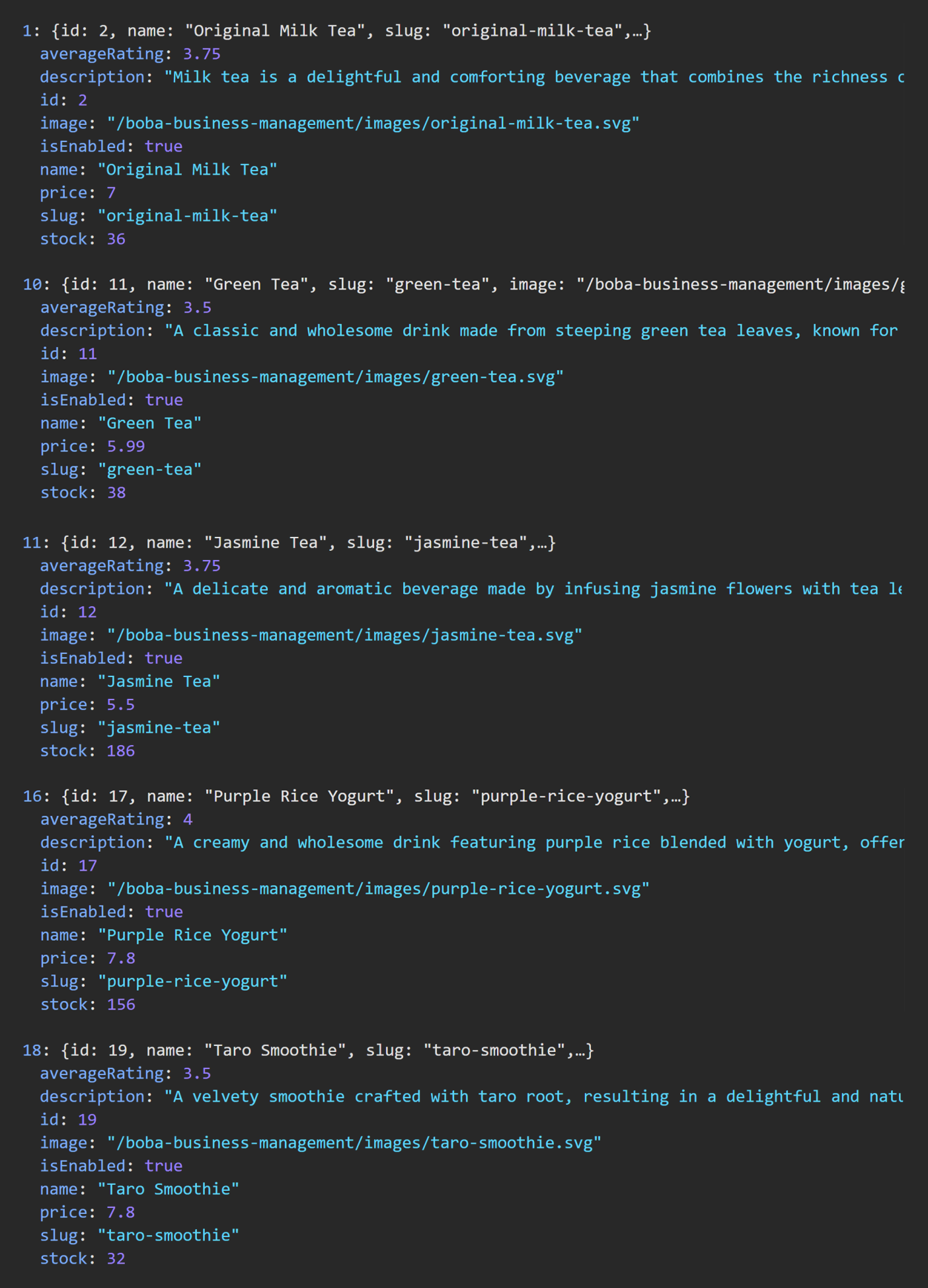
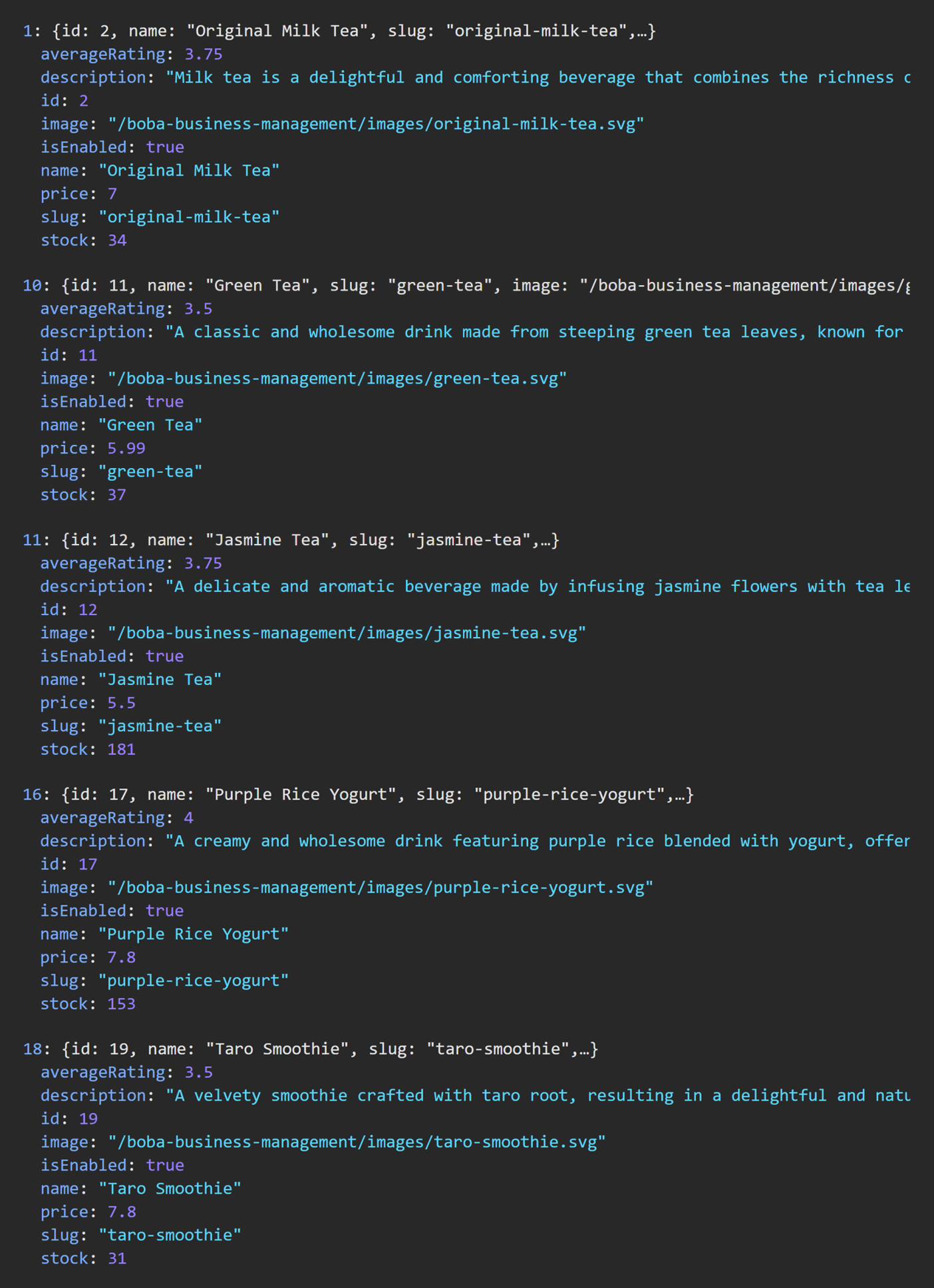
Purpose: Prove successful checkout subtracts stock exactly by ordered quantities for each item, keeps stock non-negative, and stores orderItems matching the cart snapshot.
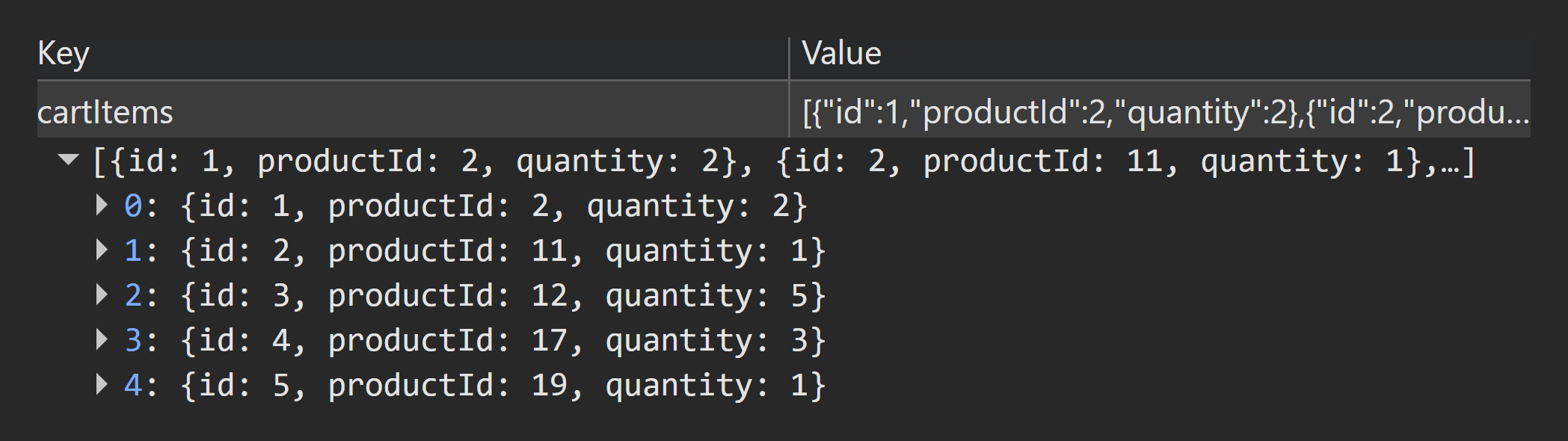
localStorage pre-check
- Q1 Cart Items Snapshot shows baseline cart (non-empty) from
localStorage.cartItems - Q6 Products Catalogue Snapshot captures stock values for all
productIdvalues present in Q1 Cart Items Snapshot
Steps
- Record starting stock for each cart product from Q6 Products Catalogue Snapshot.
- Complete checkout successfully.
localStorage post-check
- Q5 Orders for "
auth0|demoUser" (derived from Q4) latest order matches Q1 Cart Items Snapshot (productId&quantity) - Q6 Products Catalogue Snapshot stock decreases exactly by ordered quantities for each product
- No stock becomes negative
Expected
- Stock subtraction is exact and non-negative
- Order
orderItemsmatches cart snapshot
Result
PASS
Click to view evidence
Evidence
- UI video :
TC-19-UI.mp4
localStorage
TC-19-Q1.pngTC-19-Q6-before.pngTC-19-Q6-after.pngTC-19-Q5.png
TC-19-Q1.png
TC-19-Q6-before.png
TC-19-Q6-after.png
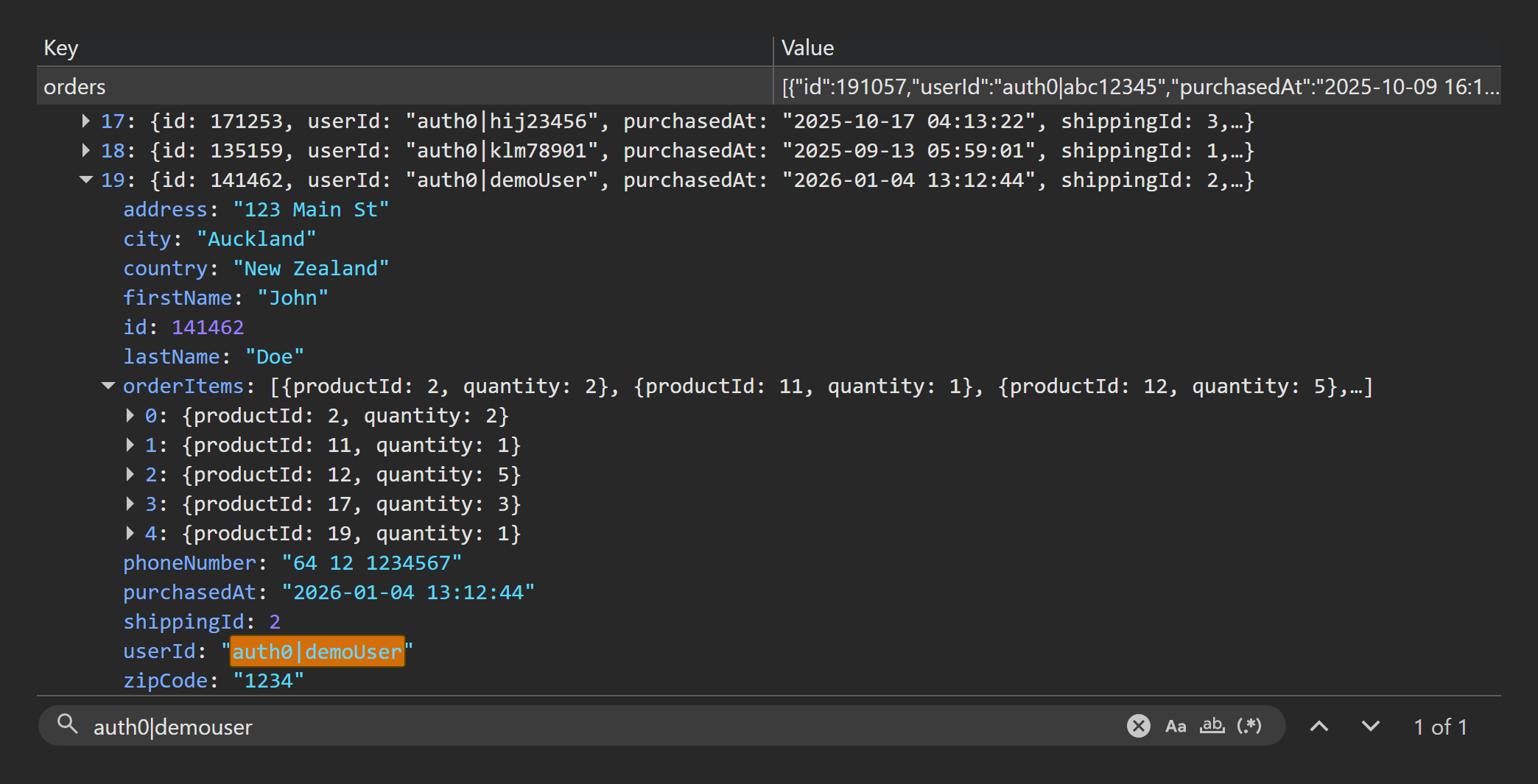
TC-19-Q5.png